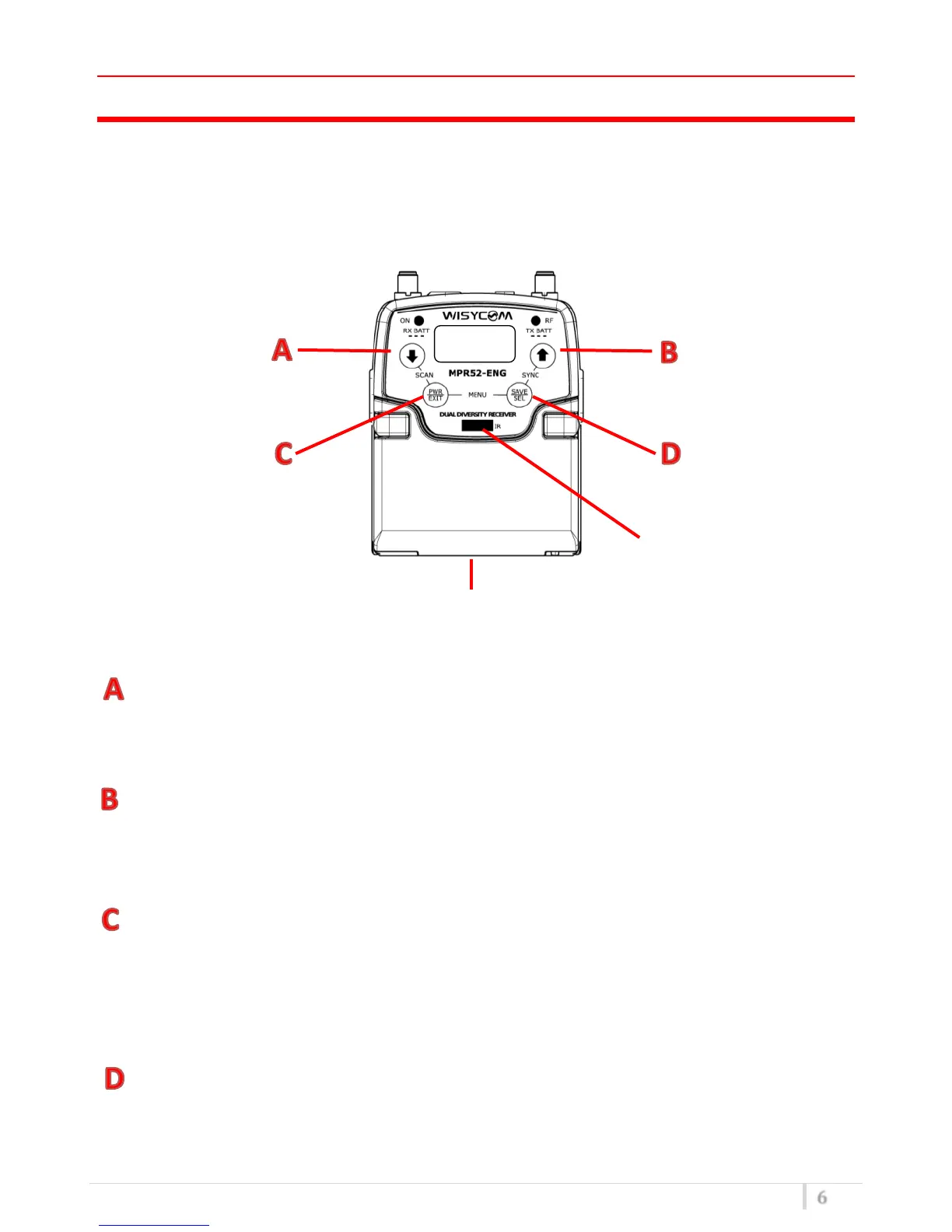
FRONT PANEL
MPR52-ENG allows an easy and quick configuration using buttons, RGB LED’s and a high contrast
OLED Display.
SCAN/DOWN Button
Push this button together with PWR/EXIT (C) to run the auto scan. When inside any menu
use this button to scroll down.
SYNC/UP Button
Push this button together with SAVE/SEL (D) to start a synchronization with a transmitter.
Note that before starting synchronization IRDA must be enabled on Wisycom transmitter.
When inside any menu use this button to scroll up.
POWER/EXIT Button
Push and keep this button to power on/off the receiver. During menu navigation push this
button to exit from current menu (escape function). Quickly push POWER button to turn
on the display when it goes OFF. You can change the time out setting from the “Info”
menu.
SAVE/SELECT Button
Push this button to navigate function menu and keep pushing to save the chosen setup.
uring menu navigation push this button to move-down and select the previous item.



 To Next Page