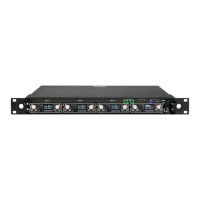
MRK16 16 channels ultra-wideband rack unit
8
NETWORKING
Ethernet ports
The MRK16 has ve different Ethernet ports. The rst four (1, 2, 3, 4) use standard Ethernet
connectors, while the fth port uses an optical LC/PC connection.
NOTE: early versions of the MRK16 may not have the LC/PC connectors installed.
The rst four ports are congured by default as control (1 & 2) and Dante (3 & 4), but they can
be recongured using the Dante Controller software. Each connector can be reassigned to be
Control, Dante, or Mixed (Dante & Control).
Port 5 is optional. While every MRK16 has the connector mounted on the outside, the internal
SFP module must be ordered separately (SFP option). If the module is ordered from Wisycom
together with the MRK16, the provided SFP module will be a 1550nm(Tx) / 1310nm(Rx) unit
already built into the device. Note that the 5th port mirrors port number 1, meaning if port 1 is
congured as Control, port 5 will also be Control; if port 1 is Dante, port 5 will be Dante.
IP conguration
Static/DHCP Conguration:
Use this menu to select whether your unit should operate using DHCP or a static IP address.
Note that when using DHCP, a DHCP server capable of assigning IP addresses is required.
The Wisycom Manager supports both DHCP and static IP congurations.
IP Address:
After selecting static IP in the conguration menu, navigate to this submenu to choose the IP
address based on the network interface in use. You can also modify the IP conguration from
the Wisycom Manager by editing the discovery panel.
IP Network Tips:
IP addresses often use formats such as 192.168.1.xx or 10.10.10.xx. For optimal perfor-
mance, ensure that the PC running the Wisycom Manager is in the same address range as
your devices. In DHCP-enabled systems, the DHCP server automatically assigns IP address-
es to units as they connect to the network.
When using a static IP system, ensure that the connected MRK16 unit(s) and the PC running
the Wisycom Manager do not share the same network:
For example, if the PC has a static IP address of 192.168.1.25, a suitable IP address for the
rst MRK16 could be 192.168.1.26 (provided there is no other device using that address).
In cases where there is no DHCP server available, the PC may self-assign an address like
169.254.69.125. In such instances, assign the MRK16 unit(s) an address within the same
range, such as between 169.254.69.2 and 169.254.69.254.


 To Next Page
 Loading...