MTP60 mul-band bodypack transmier
5
QUICK SETUP
• connect the microphone to the LEMO 3pin connector
• power on the MTP60
• configure battery type (Settings>Battery menu). Lithium battery (code MPRLBP) is auto-
matically detected by the MTP60
• enable IrDA interface and syncronize with Wisycom receiver
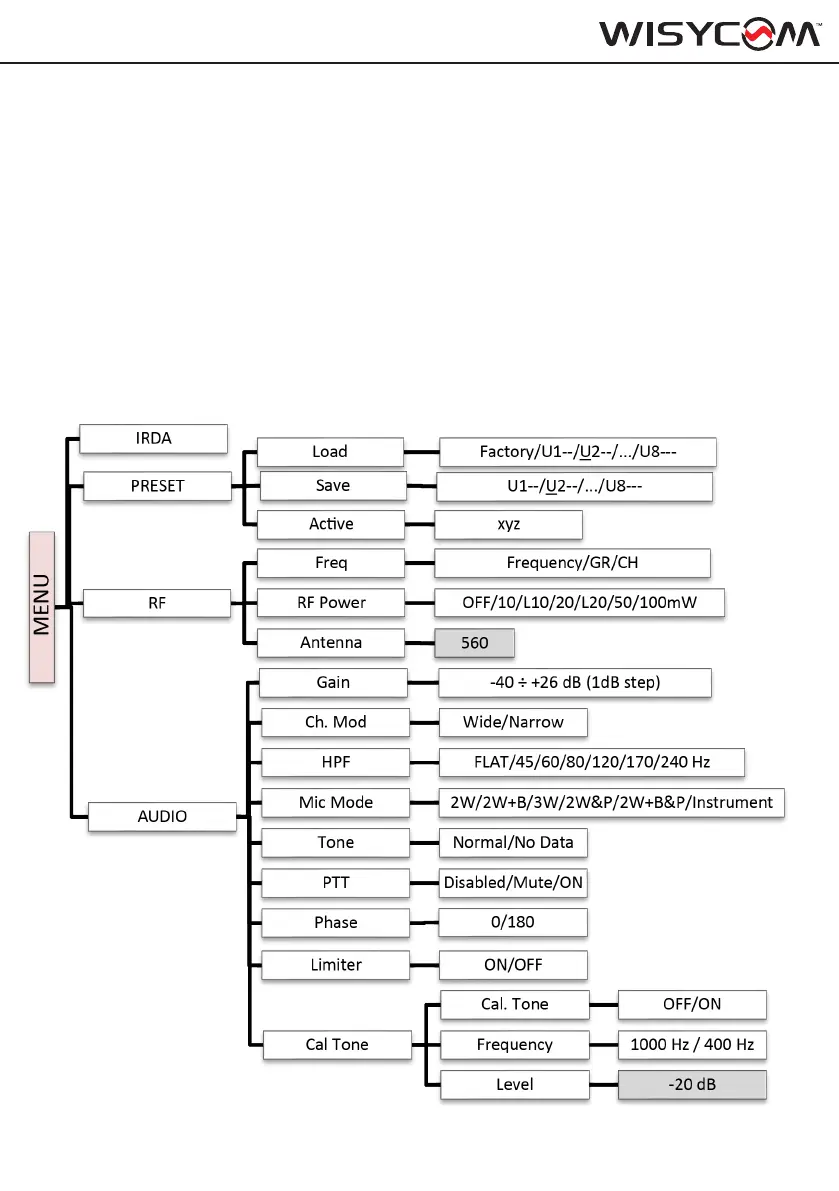
• connect the correct antenna (see code on RF > Antenna menu)
• set Mic Mode (Audio > Mic Mode menu)
• set the gain, with the maximum input signal, avoiding the peak on the audio bar. TRY TO
SETUP TO HAVE A MAX PEAK HOLD BAR CLOSE TO -6dB.
• configure power level (RF > RF Power)
• activate recording (REC)
OPERATING MENU



 To Next Page