MTP60 mul-band bodypack transmier
11
• LEMO pin 1 (GND) to the Ground (sleeve) of Stereo jack
Audio cable with LEMO 3pin to BNC connector:
• LEMO pin 3 (AF) to the BNC center pin
• LEMO pin 1 (GND) to the BNC shell
SETTINGS
Use this menu to
• power on or off the Bluetooth interface
• set type of battery used and
• configure LEDs behavior
• configure display behavior
INFO
Use this menu to check information about the transmitter (serial number, frequency range, firm-
ware and hardware version) and its status (voltage, temperature and alarms).
BATTERIES
MTP60 works with 2 x AA battery (Alkaline, Lithium, NiMh) and lithium battery pack (code
MPRLBP, 5.55 Wh).
When using AA batteries, select correct type on Setting>Bat. AA menu, while Lithium battery
pack is recognized automatically.
Battery status can be checked on internal OLED display or looking the LED2 status on front.
Through the “Settings> Battery” menu, it is possible to set whether to display the battery status
as a percentage or as an estimate of the remaining time.
BATTERY SUBSTITUTION
Open battery door and insert batteries following polarity indicated.
Attention: always replace both the batteries, do not mix batteries with different chemistries or
types.
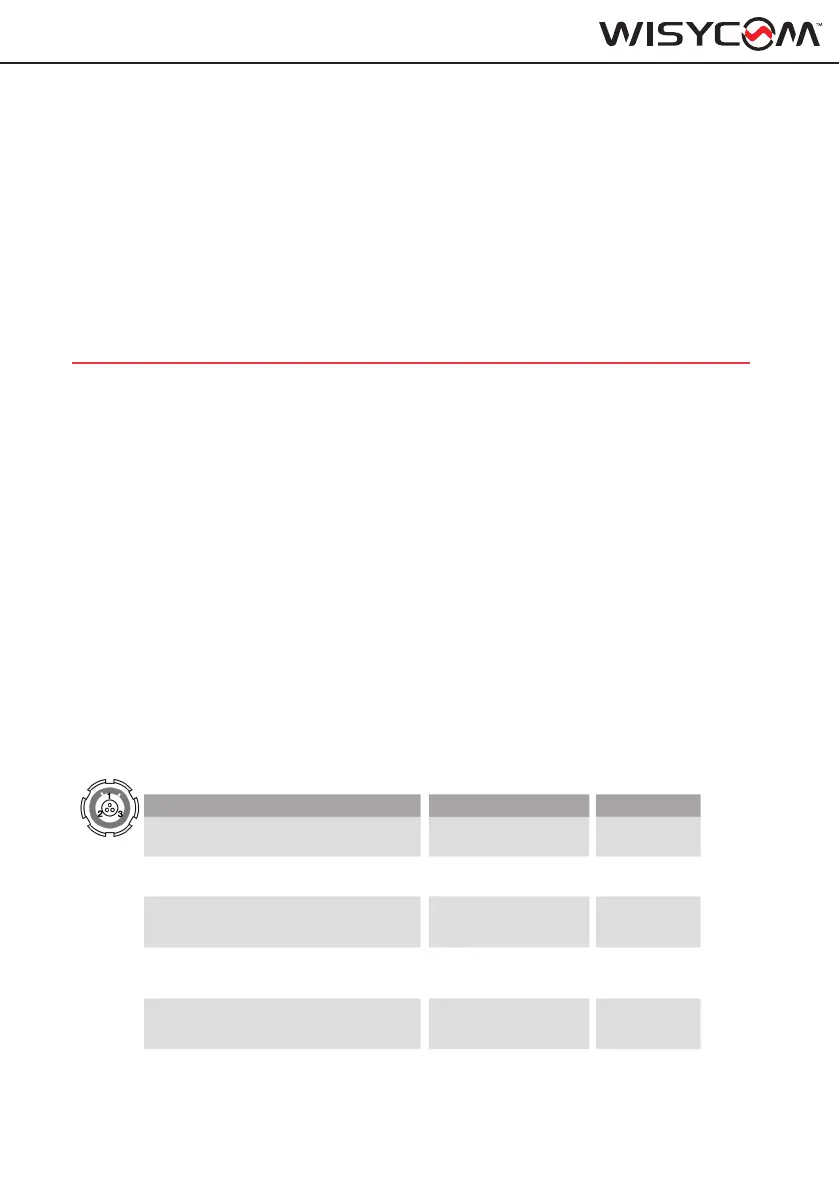
AUDIO CONNECTOR
3 PIN LEMO CONNECTOR (use FVB.00.003.NLN on Mic)
Mic Mode Pinout Impedance
2W (2 Wire)
1 = GND
3 = AF
7 KΩ
2W+B (2 Wire + Bias)
1 = GND
3 = AF + 5,5V
3,9 KΩ
3W (3 Wire)
1 = GND
2 = 5,5
3 = AF
7 KΩ
2W&P (2 Wire & Phantom)
1 = GND
2 = 3.1V
3 = AF
7 KΩ
2W+B & P (2 Wire + Bias & Phantom)
1 = GND
2 = 3.1V
3 = AF + 5,5V
3,9 KΩ
Instrument (high impedence input)
1= GND
3 = AF
1 MΩ



 To Next Page