BWT901CL | manual v0707 | http://wiki.wit-motion.com/english
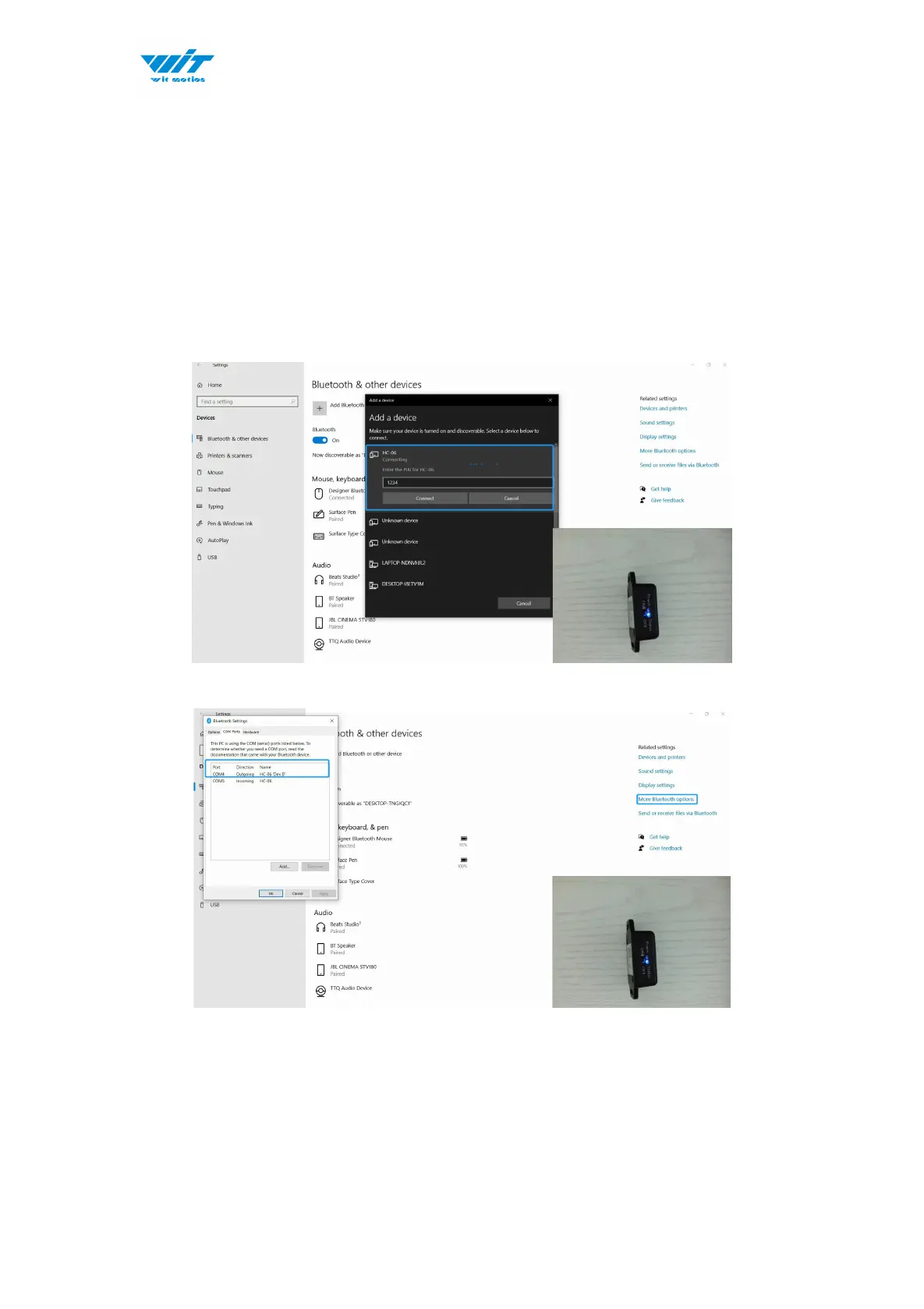
2.1.3 PC’s Bluetooth Connection
Step 1. Turn on computer's Bluetooth
Step 2. Turn on the sensor
Step 3. Search HC-06 device and input pairing password, 1234
Step 4. Confirm the “outgoing com port” on “More Bluetooth Options” page
Step 5. Open software (Minimu.exe) and choose the correct com port
Step 6. Data will appear once the automatic search finishes.



 To Next Page