BWT901CL | manual v0707 | http://wiki.wit-motion.com/english
2.4.5 Data Playback
New function: When creating recorded file each time, there will a BIN file
created in the folder of record file in path of installed software meanwhile.
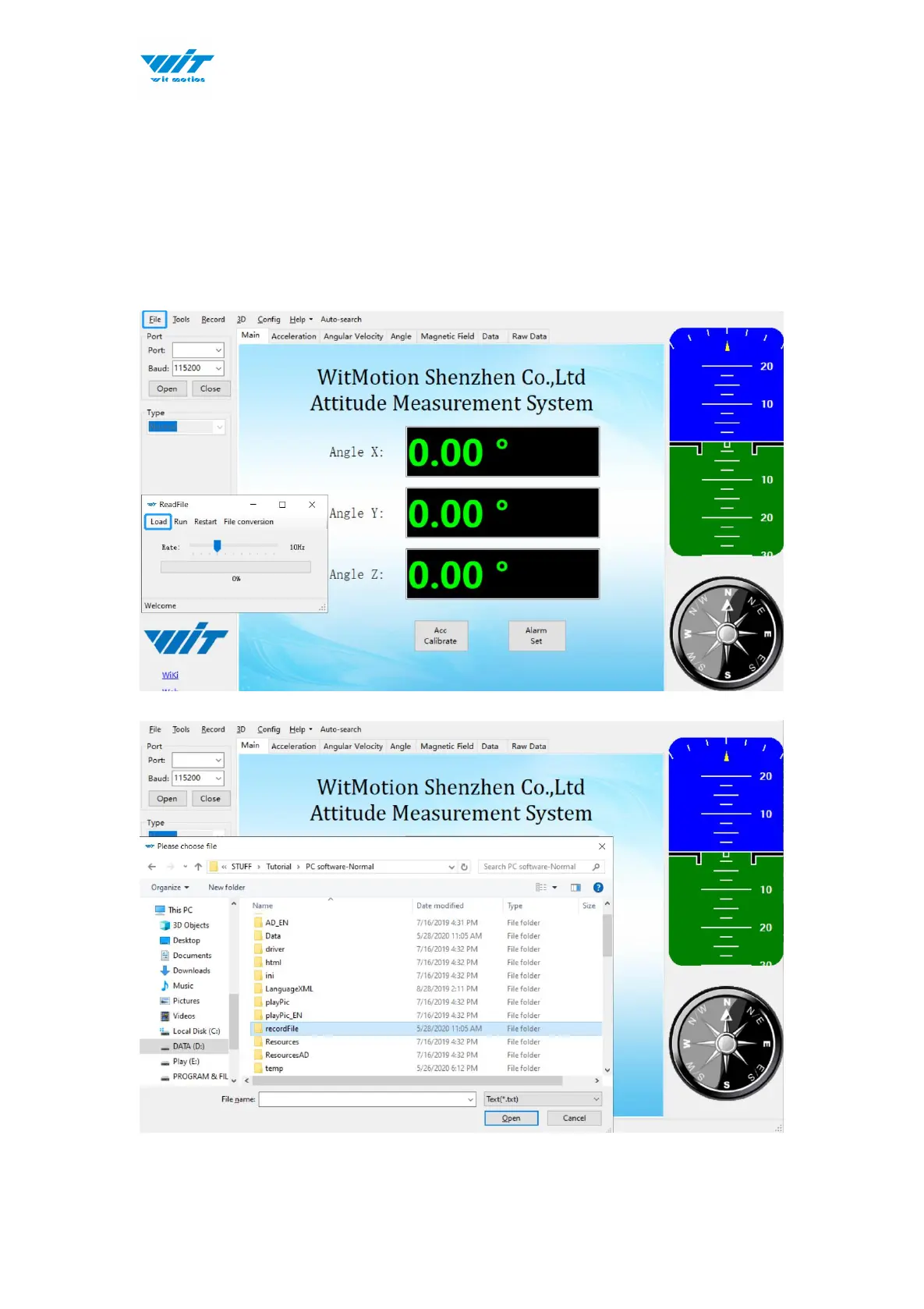
Recorded data playback method:
Step 1: Disconnect the sensor
Step 2: Click “File” Button and then click “Load”
Step 3: Choose the original path of software installation and load the Bin file



 To Next Page