8
Bridge Mode
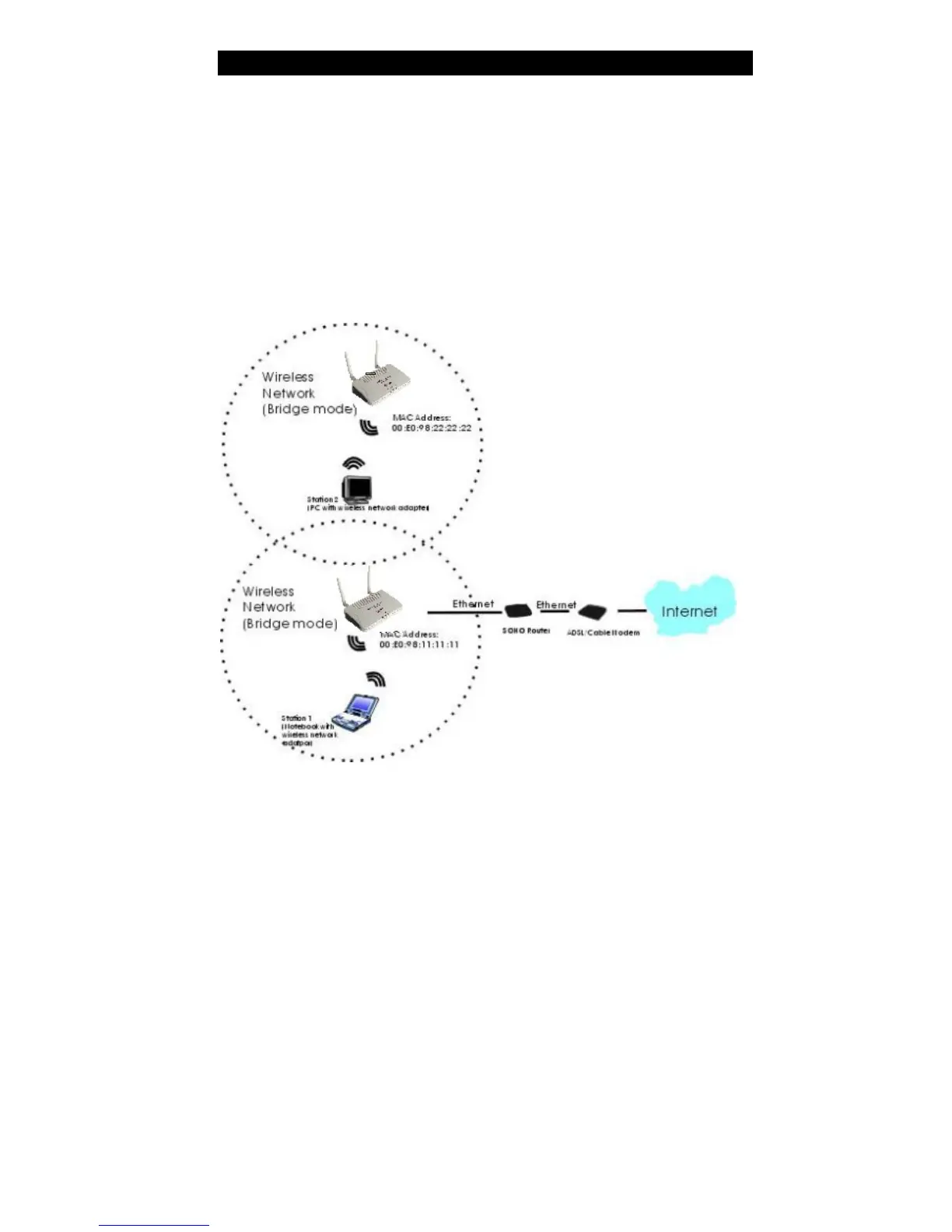
Refer to the illustration below. While acting as Bridges, AP1 (with Station 1 being
associated to) and AP2 (with Station 2 being associated) can communicate with each other
through wireless interface (with WDS). Thus Station 1 can communicate with Station 2
and both Station 1 and Station 2 are able to access the Internet if only AP1 or AP2 has the
Internet connection.
To set the operation mode to Bridge, please go to “Wireless ?? Basic Settings”, in the
“Mode” field click the down arrow ? to select AP mode. And go to “Wireless ?? WDS
Settings” to enable WDS.
Note:
To act as Bridge, both AP1 and AP2 must have WDS enabled and add each other as its
WDS Access Point. (e.g. Add AP2’s MAC address to AP1’s “WDS AP List” and vice
versa)



 To Next Page