821016: AMPx-E8 Series User Guide
© 2011 Wohler Technologies, Inc. All rights reserved.
24
Chapter 2 System Overview
Monitoring Inputs
Monitoring an SDI Input
1. To monitor an SDI signal, do one or both of the following:
• Connect an SDI signal to the rear panel SDI In 1 (BNC), or
• Connect an SDI signal to the rear panel SDI In 2 (BNC).
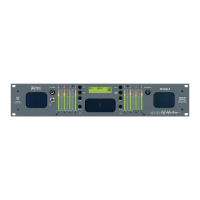
2. On the front panel, press the Input button until the LCD displays
the corresponding input you want to monitor:
• SDI1 for a signal to the SDI In 1 (BNC), or
• SDI2 for a signal to the
SDI In 2 (BNC).
3. Continue on to Channel Selection and Mixing on page 25.
Monitoring a Dolby Input
To monitor a Dolby signal, connect the Dolby input to the rear panel
Dolby E/AC-3 In 1 or In 2 (BNC) connector.
On the front panel, press the Input until the LCD screen displays the
Dolby input signal you want to monitor.
• BSt1 for a signal to the Dolby E/AC-3 In 1 (BNC), or
• BSt2 for a signal to the Dolby E/AC-3 In 2 (BNC).
4. Refer to Terminating/Unterminating Inputs on page 40 to check/
set your termination settings.
5. Continue on to Channel Selection and Mixing immediately below.
Monitoring Dolby in SDI
To Monitor a Dolby signal embedded in SDI, follow the instructions
below.
1. Connect the SDI signal with embedded Dolby to either SDI In 1 or
SDI In 2.
2. Press the Dolby key (Double D symbol) to activate the bistream
mode.


 To Next Page