821016: AMPx-E8 Series User Guide
© 2011 Wohler Technologies, Inc. All rights reserved.
52
Chapter 5 Dolby
Dolby Metadata
into the left speaker and Channel 2 is sent into the right speaker. See
Table 7–5 on page 73 for a table of Dolby main output channel
assignments.
Dolby Metadata
Pressing the MData button when Dolby Decode mode is enabled
displays the metadata of the selected Dolby E or Dolby Digital channels
being monitored. Each press of the
MData button cycles through the
properties of the selected Dolby channels in (approximately) the
following order:
• Audio encoding format and bit depth (e.g., Dolby AC-3, Dolby E 20
bit)
• Data rate (e.g., 32, 384, 640)
• Program configuration (e.g., 5.1 + 2, 4x2, 3x2)
• Video frame rate (e.g., 29.97, 30)
• Audio coding (e.g., 3/2, 2/0)
• Dialog normalization (0 to –31 dB)
• Bitstream mode (e.g., complete/main, music/effects)
• Surround mode (e.g., srnd not indicated, not Dolby srnd)
• Surround and center mix level (e.g., -3.0 dB, -6.0 dB)
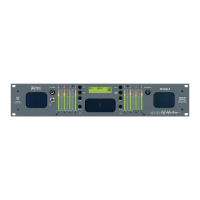
Some examples of how Dolby metadata information is displayed in the
LCD screen are shown in Figure 5–3 on page 53 and Figure 5–4 on page
53.
Note:
The data rate is only available for Dolby D. The video frame
rate is only available for Dolby E.


 To Next Page