8
Setting time / summer/winter / economy temperature
Setting the time / changing from
summer to winter or vice versa
Note: When using a radio clock module, setting
the time and summer/winter changes are made
automatically.
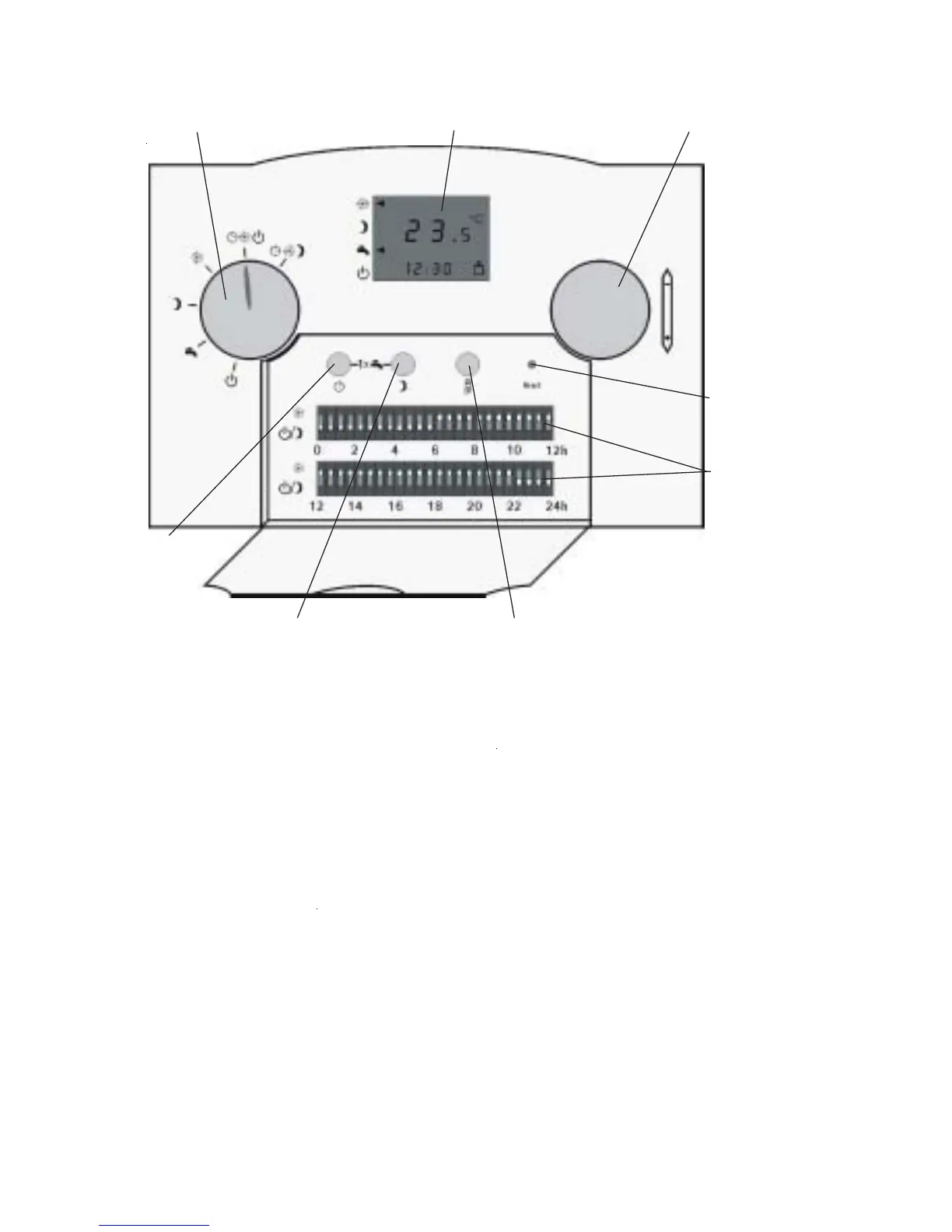
Open the front flap on the ART controller to
set the current time or to change from summer
to winter time or vice versa.
After pressing the time key the display
changes to the time setting mode. Now adjust
the time with the r.h. rotary selector.
The standard display will be shown again if no
changes are made after more than 10 s or one
of the three keys is pressed.
Program selector Temperature selection – heating modeDisplay
DIP switch
Time key
Economy temperature key
Contractor level key
Reset button
q
Setting the economy temperature
After pressing the economy temperature key
the display changes to the setting mode
for the required room temperature in economy
mode.
The current set temperature for economy mode
will be displayed.
Turning the r.h. rotary selector (heating mode
temperature selector) changes this value.
The standard display will be shown again if no
changes are made after more than 10 s or one
of the three keys is pressed.
C



 To Next Page