Component Access
CSO24 and CSO30 (SWS #13508346)
4-5
#9001333 - Revision A - August, 2014
Light Bulb Removal
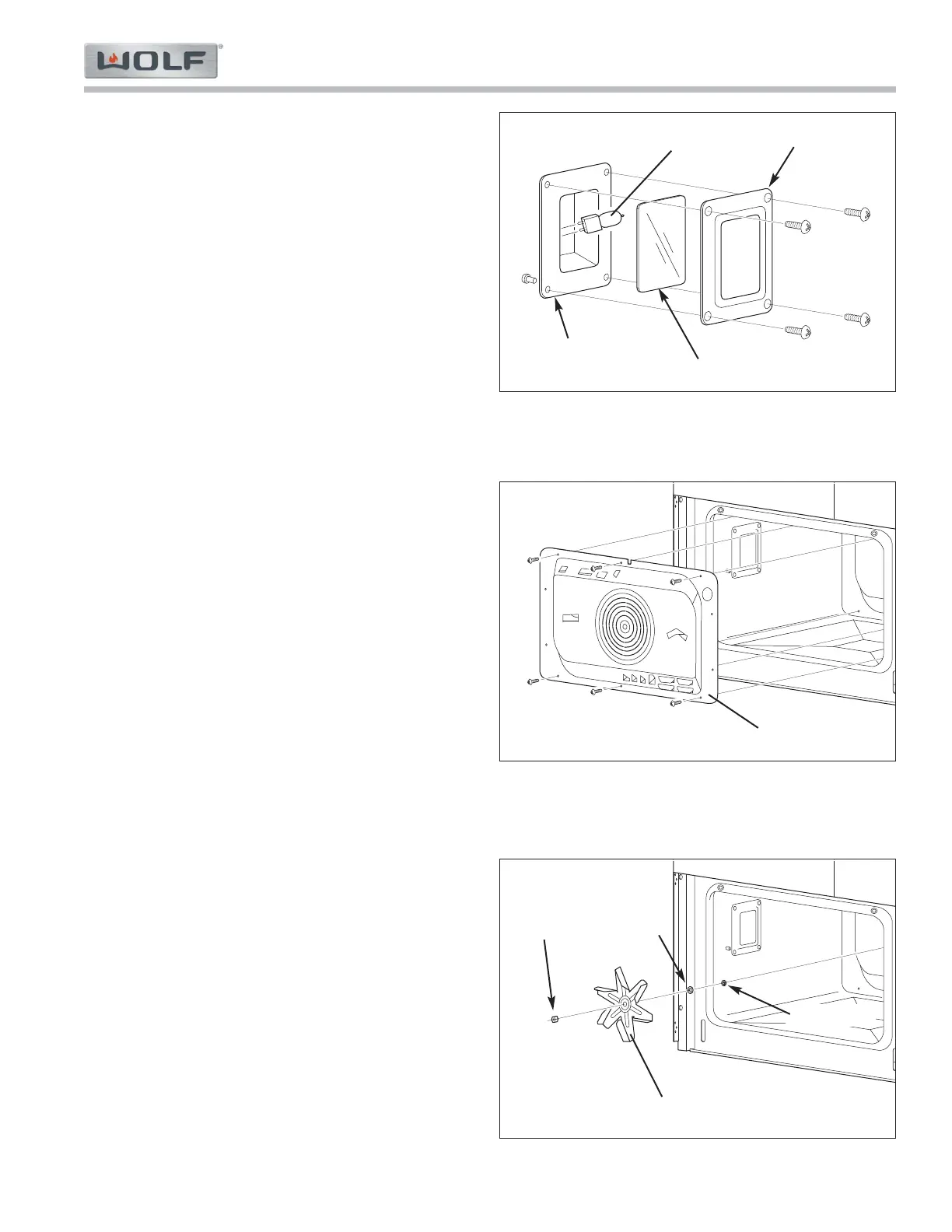
To remove a light bulb, first remove the left side rack
guide, then (See Figure 4-7):
1. Extract screws securing oven light frame to left side
wall.
2. Pull frame and light glass cover from side wall.
NOTE: The oven light seal does not need to be
removed.
3. Extract bulb from light socket by pulling it toward
rear of cavity.
Hot Air (Convection) Cover
To remove the hot air cover, first remove the left and
right side rack guides, then (See Figure 4-8):
1. Extract screws securing hot air cover to rear wall.
2. Pull hot air cover from rear wall.
Hot Air (Convection) Fan Blade
To remove the hot air fan blade, first remove the left and
right side rack guides and the hot air cover, then (See
Figure 4-9):
1. Extract nut from motor shaft.
NOTE: The shaft and nut are reverse thread.
2. Pull fan blade from motor shaft.
NOTE: The washer and tab washer behind the fan
blade do not need to be removed unless removing
the fan motor assembly which is covered later.
Light Frame
4-7. Light Bulb Removal
Light Bulb
Light Glass Cover
Oven Light Seal
4-8. Hot Air Cover Removal
4-9. Hot Air Fan Blade Removal
Hot Air Cover
Hot Air Fan Blade
Reverse
Thread
Nut
Washer
Tab Washer



 To Next Page