Rev AB Using the Tools Page 4-15
Wolke m600 Universal Operator Manual
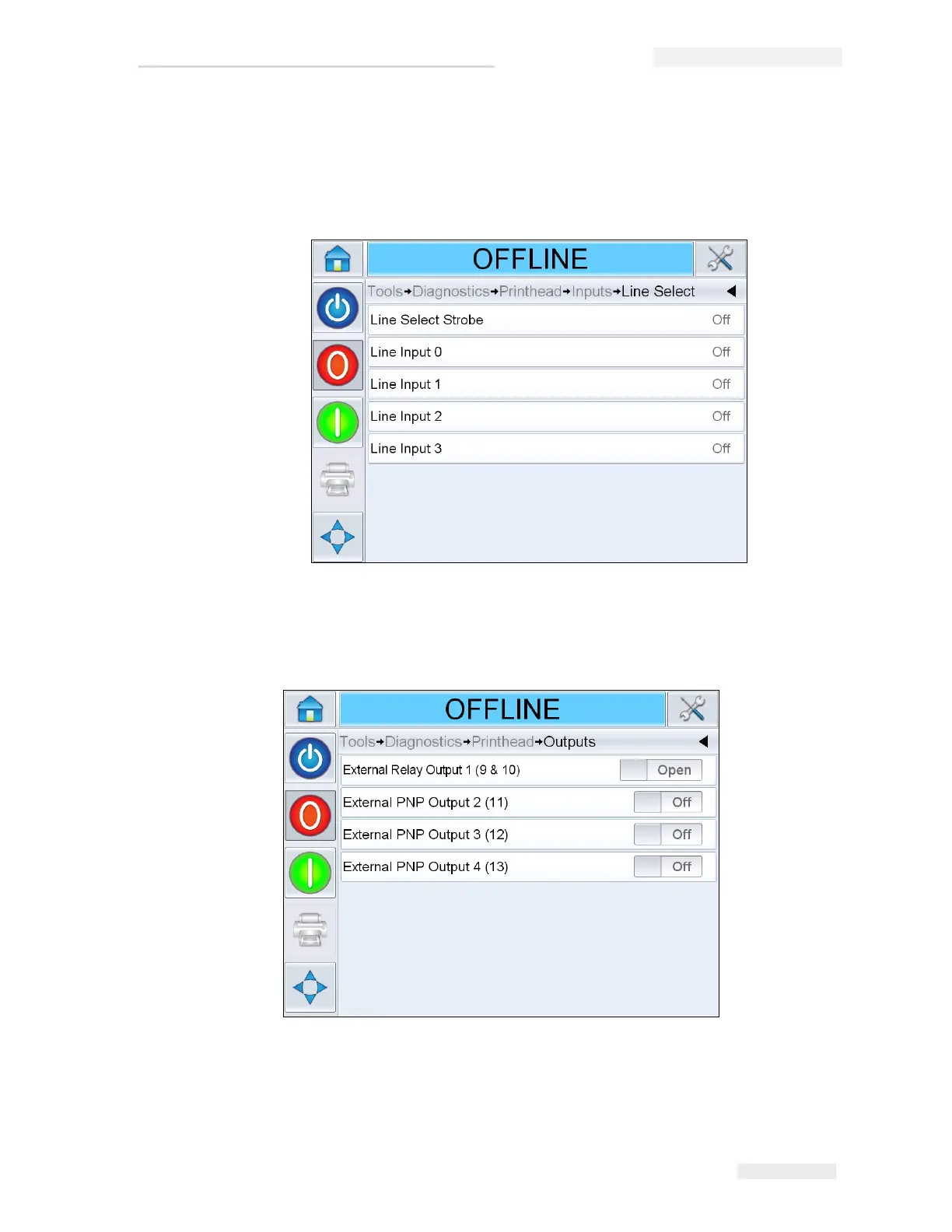
• Line Select: If the Line Select is enabled on the controller, the user can
assign a job to the required line. Line Select allows the user to view the
current status of the inputs being used for the Line Select feature of
the printer (see Figure 4-12).
Outputs
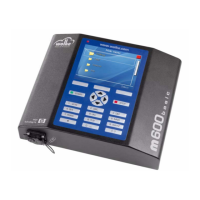
Navigate to Tools > Diagnostics > Printhead > Outputs (see Figure 4-13).
Each button shows the status of a physical output on the printer. Touching
the Toggle button allows the user to force the state of an output, Open/
Closed or On/Off, which is useful for diagnostic purposes.
Figure 4-12: Input Line Select Page
Figure 4-13: Printhead Outputs Diagnostics Page



 To Next Page