4-14 Using the Tools Page Rev AB
Wolke m600 Universal Operator Manual
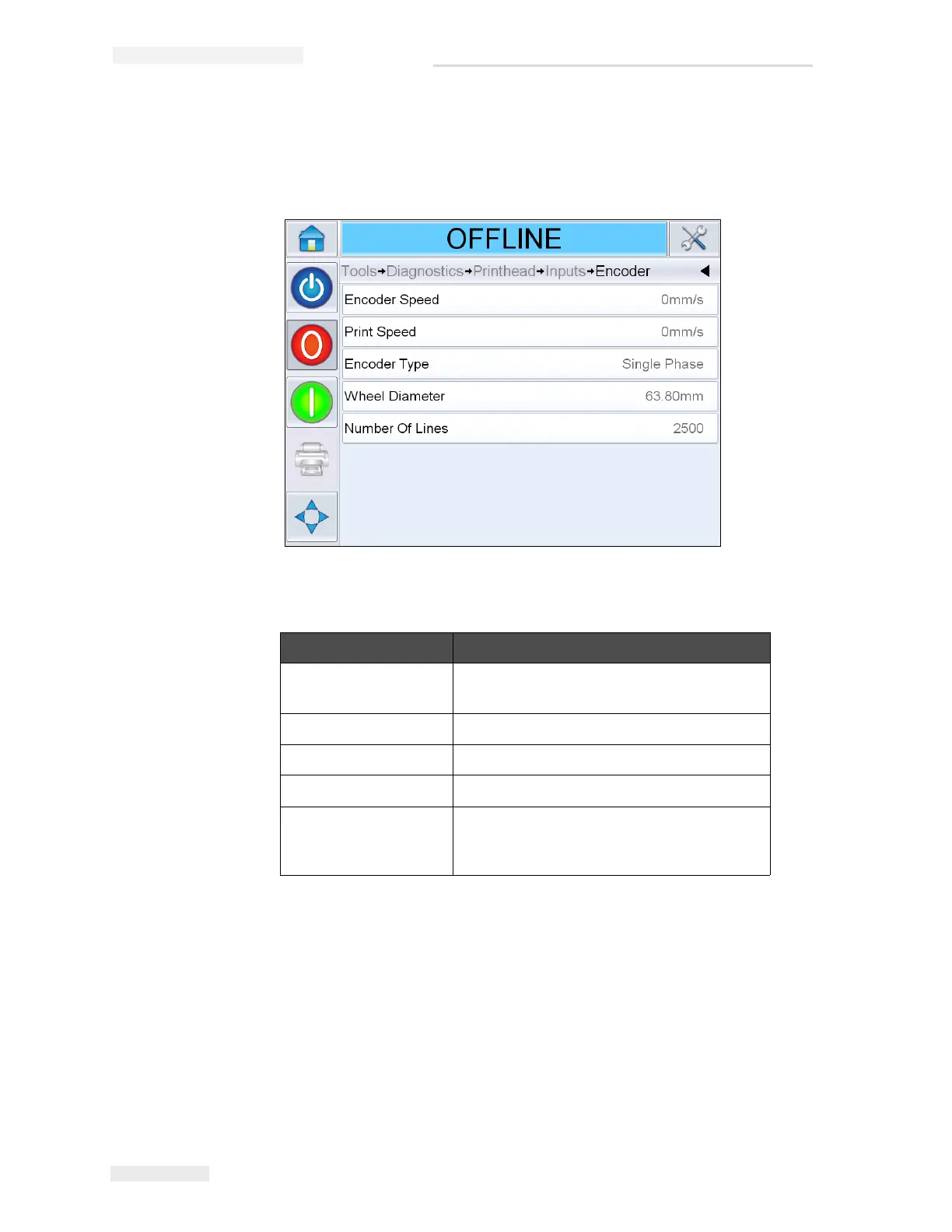
•Encoder: Touch the Encoder button to view the Encoder diagnostics
page. The Encoder diagnostics page allows the user to view the
following encoder parameters (see Figure 4-11).
Buttons Description
Encoder Speed Shows the actual real-time speed of the
object being measured by the encoder
Print Speed Shows the print speed
Encoder Type Shows the current encoder type
Wheel diameter Shows the diameter of the encoder wheel
Number of lines Shows the resolution of the encoder
expressed as the number of pulses per
revolution
Table 4-6: Encoder Diagnostics Page
Figure 4-11: Encoder Diagnostics Page



 To Next Page