Rev AB Using the Tools Page 4-13
Wolke m600 Universal Operator Manual
The Inputs Diagnostics page allows the user to view the following
parameters:
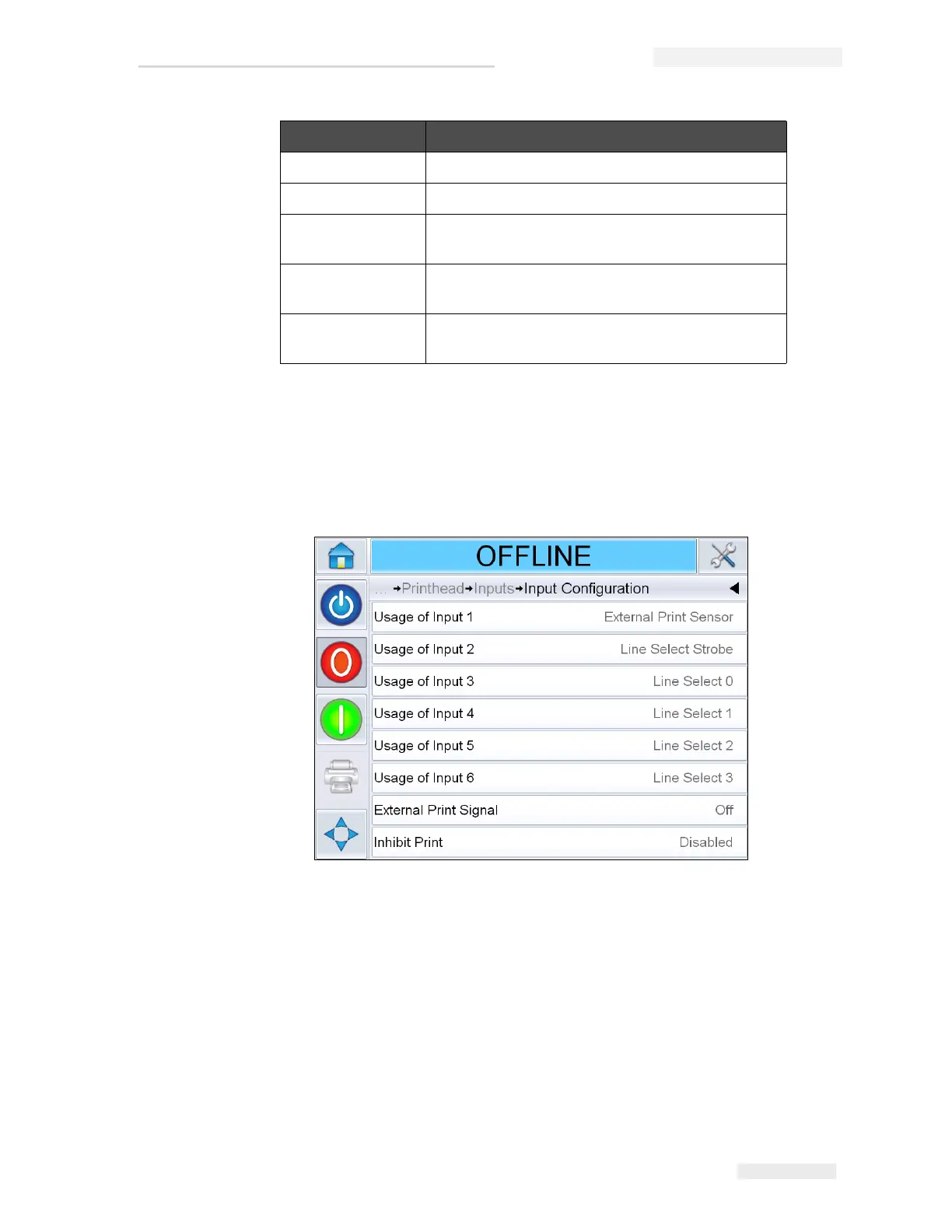
• Input Configuration: Displays the usage of inputs 1-6 and the status of
line inputs 0-3, Print signals, Job queue and so on (see Figure 4-10).
24 Volts Supply Displays the voltage of the 24 V supply.
Printhead Volts Displays the printhead voltage.
Cartridge
Temperature
Displays the cartridge temperature
information.
Controller PCB
Temperature
Displays the PCB temperature information.
Printhead
Temperature
Displays the Printhead temperature
information.
Buttons Description
Table 4-5: Inputs Diagnostics Page (Continued)
Figure 4-10: Input Configuration screen



 To Next Page