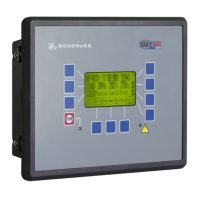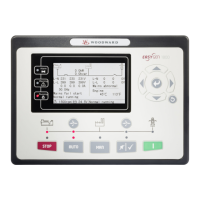
What to do if I get a high water temp alarm after crank disconnect on my Woodward Control Unit?
- DDylan OlsonSep 13, 2025
Check the temperature sensor and its connections if you receive a high water temperature alarm after crank disconnect.
What to do if I get a high water temp alarm after crank disconnect on my Woodward Control Unit?
Check the temperature sensor and its connections if you receive a high water temperature alarm after crank disconnect.
What to do if my Woodward easYgen-1400 Control Unit has no power?
If your Woodward Control Unit has no power, check the starting batteries, controller connection wiring, and the DC fuse.
What to do if Woodward easYgen-1400 Control Unit starter no response?
If the starter of your Woodward Control Unit doesn't respond, check the starter connections and the starting batteries.
What to do if Shutdown Alarm occurs in running with Woodward Controller?
If the Woodward Controller displays a shutdown alarm while running, check the switch and its connections according to the information on the LCD. Also, check the auxiliary input ports.
How to troubleshoot a Woodward Controller with no power?
If the Woodward Controller has no power, begin by inspecting the starting batteries, controller connection wiring, and the DC fuse.
How to troubleshoot Woodward Controller starter no response?
If the Woodward Controller's starter is not responding, check the starter connections and the starting batteries.
What to do if Woodward Control Unit shows high water temp alarm after crank disconnect?
If the Woodward Control Unit shows a high water temp alarm after crank disconnect, check the temperature sensor and its connections.
What to do if my Woodward easYgen-1400 Control Unit genset shuts down?
If the genset shuts down, check if the water/cylinder temperature exceeds the limits. Also, check the genset AC voltage and the DC fuse.
What to do if Woodward Controller shows Low oil pressure alarm after crank disconnect?
If the Woodward Controller triggers a low oil pressure alarm after crank disconnect, check the oil pressure sensor and its connections.
How to fix ECU communication failure in Woodward easYgen-1400?
To address an ECU communication failure in your Woodward Control Unit: * Check the CAN connections for high and low polarity. * Verify the 120 ? resistor is connected properly. * Confirm the engine type is correct. * Ensure the connections from the controller to the engine and the output ports settings are correct.
Provides context on the manual's purpose, revision history, and symbol definitions.
Outlines legal information regarding manual usage and copyright.
Details service information, warranty terms, and customer support contact.
Covers crucial safety guidelines, including intended use, personnel, and hazard warnings.
Defines the intended application and scope of the easYgen unit's operation.
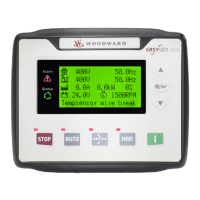
Describes the status screens displayed on the Human Machine Interface (HMI).
Details status information accessible via the ToolKit-SC software.
Explains the physical controls and display elements on the easYgen unit's front panel.
Describes how the unit signals warnings and alarms using LEDs and horns.
Outlines the different operating modes: AUTO, MANUAL, and STOP.
Details the procedures for starting and stopping the genset under various conditions.
Explains procedures for transitioning load supply between mains and genset.
Provides common symptoms and their possible solutions for troubleshooting issues.
Lists and explains alarm classes, warnings, and shutdown alarms.
| Brand | Woodward |
|---|---|
| Model | easYgen-1400 |
| Category | Control Unit |
| Language | English |