EasyManua.ls Logo

Woodward L-Series - User Manual

Woodward L-Series
130 pages
Print Icon
To Next Page IconTo Next Page
Loading...
Installation and Operation Manual
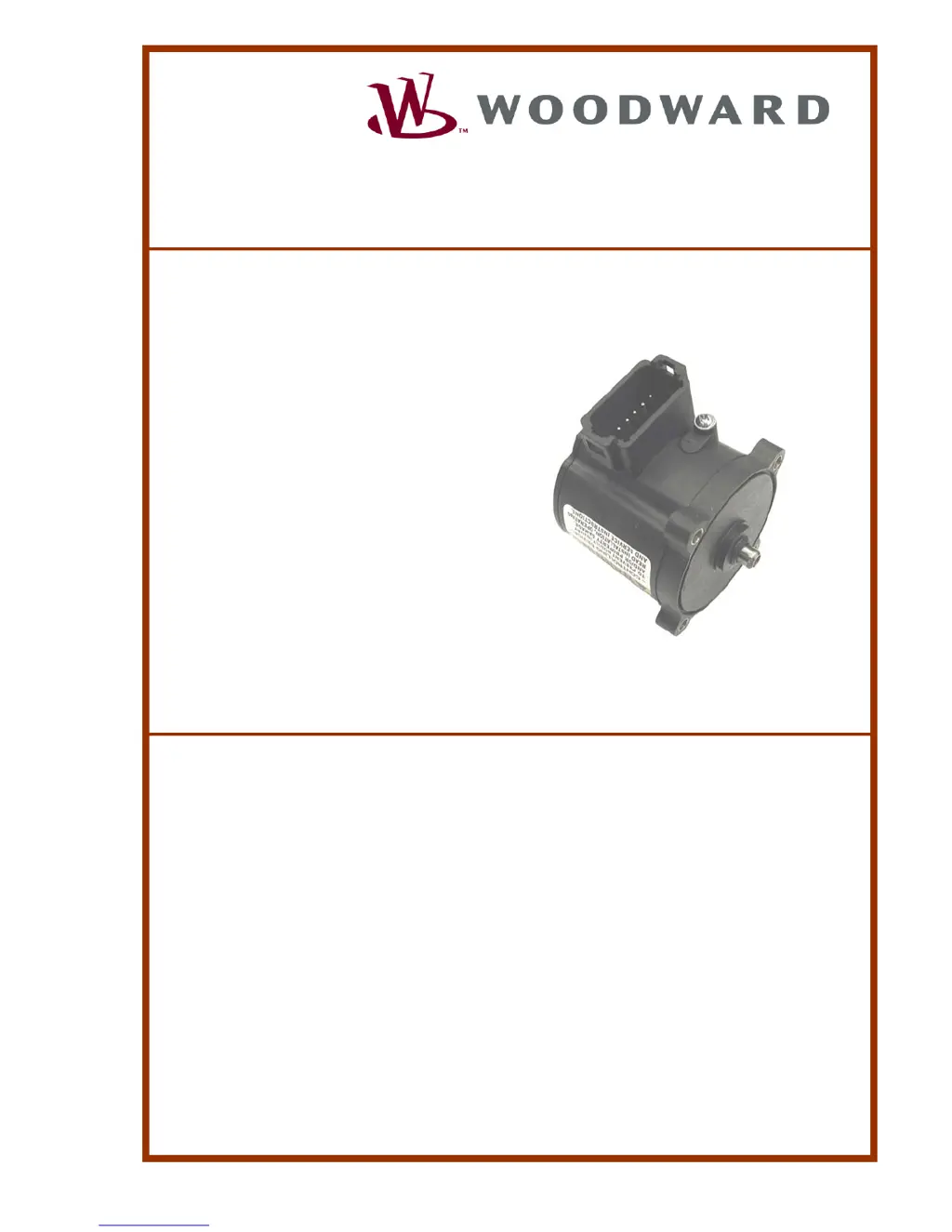
L-Series Integrated Speed Control
Manual 26250 (Revision H)

Table of Contents

Questions and Answers

  • T
    taylorjeffreySep 14, 2025
    Why is the engine unstable with the Woodward Controller?
    • K
      ksimpsonSep 14, 2025
      If your engine is unstable with the Woodward Controller, it might be due to improperly tuned dynamics. Use the Service Tool to tune the position dynamics. Another cause could be an intermittent position command input signal; use the Service Tool to check for fault indications. Alternatively, the device sending the position command might be sending an oscillating signal; measure the input signal and verify it using the Service Tool.
  • K
    Kaitlyn VaughnAug 23, 2025
    What to do if Woodward L-Series engine will not raise the speed setpoint?
    • S
      Sean MillerAug 23, 2025
      If the engine speed setpoint will not raise, the Raise input wiring may be defective; check the wiring. Also, the high, low, and active open or closed selection for the Raise input may be selected incorrectly; set up the correct input modes. The Control may not be configured for Raise Lower operation; configure the Control for Raise Lower operation or Raise Lower and Analog if that is the correct operation mode. If the Lower input is also active and the Analog Raise Lower is configured, set up the lower input to the correct state. If the lower is active and only Raise Lower is selected, set up the lower input to the correct state.
  • K
    kmorganAug 25, 2025
    What to do if Woodward L-Series Controller engine will not lower the speed setpoint?
    • L
      Laura StewartAug 26, 2025
      If the engine will not lower the speed setpoint, the Lower input wiring may be defective; check the wiring. The high, low, and active open or closed selection for the Raise input may be selected incorrectly; set up the correct input modes. The Control may not be configured for Raise lower operation; configure the Control for Raise Lower operation or raise lower and analog if that is the desired operational mode. If the Raise input is also active and the analog Raise Lower is configured, set the lower input to the correct state. If the control is in analog mode, set the lower input to the correct state.
  • D
    Dawn CollinsAug 27, 2025
    What to do if Service Tool is not communicating with Woodward Controller and shows 'Not Connected'?
    • S
      Shawn AllenAug 27, 2025
      If the Service Tool shows a 'Not Connected' status when trying to communicate with your Woodward Controller, the issue might be due to a wiring fault. Check AUX3 and AUX4 for loose or mis-connected connections. Verify the harness setup and connections. Also, ensure that the Service Tool is running and that the port setting is correct.
  • D
    Diamond FloydAug 27, 2025
    What to do if Service Tool will not accept the password for Woodward Controller?
    • F
      Franklin OnealAug 27, 2025
      If the Service Tool is not accepting your password for the Woodward Controller, ensure that the Caps Lock key is not active, as the password is case-sensitive. Enter the password carefully, paying attention to upper and lower case letters. If you've lost the password, contact the OEM for retrieval assistance.
  • M
    morganmelanieSep 2, 2025
    How to fix unstable Woodward L-Series engine?
    • P
      Patrick AlexanderSep 2, 2025
      If the engine is unstable, it may be due to improperly tuned speed or position PID dynamics. Use the Service Tool to tune the position and speed dynamics. Also, verify that speed signal shielding recommendations have been followed, as an intermittent or incorrect speed signal can cause instability. Another potential cause is a dual dynamics discrete input shorted or open; disconnect the starter motor solenoid in this case.
  • D
    Diane MartinezDec 1, 2025
    What to do if Woodward L-Series actuator is not opening the fuel control valve during engine cranking?
    • A
      Amber TranDec 1, 2025
      If the actuator isn't opening the fuel control valve during engine cranking, consider these potential causes: the control might be configured for the wrong opening direction, so check the cw/ccw min fuel direction configuration. Also, the Run Enable input might not be enabled, so ensure it is active. It's also possible the control has detected a shutdown situation and hasn't been reset; in this case, reset the control by cycling power, using the Service Tool, or toggling the run enable switch. Check for power supply issues by examining the fuse, wiring, and battery voltage. A defective speed sensor, wiring issue, or incorrect installation could also be to blame; fix or replace the speed sensor, repair the wiring, or install the sensor correctly according to its manual. Additionally, the co...
  • M
    Madeline KingSep 12, 2025
    How to troubleshoot a Woodward Controller when the engine does not start?
    • J
      James WatersSep 12, 2025
      If your Woodward Controller isn't starting, it could be due to a few reasons. First, the throttle might be stuck or the shaft could be frozen; try moving the throttle by hand to check for smoothness and spring force. Second, power might not be reaching the control; in this case, disconnect the starter motor solenoid and harness from the governor, then test for +12/24 V between the appropriate pin and ground. Also, the Run Enable might not be closed; verify its status and configuration using the Service Tool. A missing or incorrect controller configuration could also be the cause; use the Service Tool to read the configuration and correct any parameters. Finally, a fault in the controller could be the issue; use the Service Tool to read faults and correct any shutdown conditions.
  • J
    Jennifer HoganSep 8, 2025
    Why Woodward L-Series is unable to develop full power?
    • A
      Andrea HughesSep 9, 2025
      If the controller is unable to develop full power, it could be due to a non-indexed linkage slipped on the shaft; manually verify the full travel of the throttle plate. Another cause might be a fault detected in the control; use the Service Tool to view the status of fault codes. A shorted or bad MAP sensor signal could also be the issue; if using MAP fuel limiting, disconnect the starter motor solenoid.
  • K
    kathrynbowmanSep 10, 2025
    Why is my Woodward Industrial Equipment engine starting but running unstable?
    • T
      Teresa LewisSep 12, 2025
      An unstable engine run in your Woodward Industrial Equipment could stem from a couple of issues. First, the air/fuel ratio might not be correct; if you're using an LC-50 mixer, MAS, & ZPR, consult Chapter 4 for air/fuel ratio tuning. Otherwise, refer to your fuel system manufacturer's guidelines. Second, the Position, Speed, or Process Control may not be adequately tuned; in this case, refer to manual 35141, 35147, or 35153 for application setup procedures.

Summary

General Information

Purpose, Scope, and Applications

Defines manual's purpose, scope, and intended applications for L-Series speed control.

Manual Usage and Introduction

Explains how to use the manual and introduces the L-Series control system.

Control Options and Features Overview

Details basic control options and programmable features of the L-Series.

Service Tool Software Capabilities

Describes the functionality and features of the L-Series Service Tool software.

Mechanical Installation

Installation Overview and Requirements

Covers general installation notes, requirements, and safety warnings for mechanical setup.

Unpacking and Mounting Location

Provides instructions for unpacking the unit and selecting a suitable mounting location.

Mounting Details and Configuration

Details mounting orientation, actuator configuration, hardware, and shaft types.

Mechanical Stops and Linkage Design

Explains mechanical stops for fuel control and proper linkage design for optimal control.

Electrical Installation

Introduction and Shielded Wiring

Covers electrical connection basics, shielded wiring requirements, and installation notes.

Electrical Connections and Connectors

Details electrical connections, recommended connector types, and wiring practices.

Input;Output Descriptions

Describes the electrical I/O functions, including power supply, speed inputs, and auxiliary ports.

Signal Inputs and Outputs

Explains speed signal inputs (MPU, IGN), TPS output, relay driver, 5V output, and AUX inputs.

Communications and Grounding

Covers RS-232 communications for service and grounding junction details.

Description of Operation

General System Overview

Provides a general description of the L-Series speed control and its actuator.

System Operation and Engine Starting

Explains how the system operates and the engine starting sequence.

Speed Control Functions and Settings

Details speed control functions, setpoints, and ramp rates.

Speed Setting Modes and Options

Describes various speed setting modes like Single, 50/60 Hz, Idle/Rated, and Raise/Lower.

Speed Control Dynamics

Explains dynamics settings like Rated, Idle/Rated, and Dual Gain for optimizing performance.

Fuel Limiting Functions

Details Start Fuel Limiting, Runtime Fuel Limiting, and Boost Fuel Limiting functions.

Temperature and Current Limiting

Covers onboard temperature sensing and current limiting based on electronics temperature.

Service Tool Usage

Introduction and Tool Description

Introduces the L-Series Service Tool and describes its purpose and components.

Software Version, Security, and Monitoring

Covers identifying software versions, setting security, and monitoring driver parameters.

Service Tool Interface and Status

Explains the various screens, status bar indications, and communication status within the Service Tool.

Configuration

Configuration Overview and Methods

Introduces configuration process, online/offline methods, and OEM data saving.

Configuration Parameters Overview

Lists the different configuration screens available in the L-Series control.

Speed Input and Position Settings

Covers sensor type, engine type, cylinder count, and position control settings.

Setpoint and Control Tab Settings

Details setpoint configuration, mode selection, and engine start/stop parameters.

Modifiers, Bias, and Fuel Limiting

Explains droop, bias settings, and various fuel limiting configurations.

Dynamics and Discrete I;O Configuration

Covers speed control dynamics settings and discrete input/output mapping.

Alarm;Shutdown and Security Settings

Details alarm/shutdown fault configurations and security password settings.

Configuration Checks and Warnings

Lists checks performed during save/load and common configuration errors.

Setup and Tuning

Setup and Tuning Introduction

Outlines the setup and tuning process using the Service Tool.

Speed PID Tuning and Editing

Covers tuning the speed PID and editing configuration settings.

Position PID Tuning and Calibration

Details tuning the position PID and performing position calibration and verification.

Troubleshooting

Troubleshooting Introduction and Guides

Introduces troubleshooting categories and provides general system guides.

Engine;Generator and Electrical Issues

Covers troubleshooting for engine/generator problems and electrical connections.

Diagnostic Fault Flags and Errors

Lists and explains diagnostic fault flags, their causes, and possible actions.

Service Tool Troubleshooting

Addresses issues related to the Service Tool's functionality and connectivity.

Service Options

Product Service Options Overview

Lists available service options for Woodward equipment.

Replacement, Repair, and Contact Info

Explains replacement/exchange, repair services, and how to contact Woodward.

Engineering Services and Technical Assistance

Details engineering services, product training, field service, and technical assistance contact.

Appendices

Acronyms and Abbreviations

Provides a list of common acronyms and abbreviations used in the manual.

L-Series Control Specifications

Lists the technical specifications for the L-Series control system.

Declaration of Conformity

Woodward L-Series Specifications

General IconGeneral
Storage Temperature-40°C to +85°C
Communication InterfaceCAN
Number of Analog Inputs8
Number of Analog Outputs4
Number of Digital Outputs8
Processor Type32-bit
MemoryFlash, RAM

Related product manuals