Need help?
Do you have a question about the WOOSIM WSP-W40 and is the answer not in the manual?
Details copyright ownership and reproduction restrictions for the manual.
Lists registered trademarks of Woosim Systems Inc. and other companies.
Advises caution regarding static electricity damage to semiconductor devices.
States that manual contents are subject to change without notice.
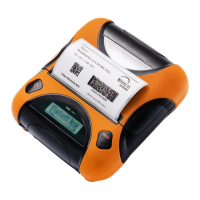
Introduces the WSP-W40 as a solution for mobile banking, retail, and POS systems.
Lists general features like compact size, light weight, silent printing, high speed, and connectivity.
Mentions CE and FCC compliance markings for the printer.
Provides advice on handling the printer, operating environment, and avoiding interference.
Offers guidelines for storing and handling thermal paper to maintain print quality.
Details FCC compliance rules, potential interference, and mitigation measures.
Provides a warning regarding modifications and installation distance for RF exposure compliance.
Explains the naming convention for WSP-W40 models based on interface and power.
Defines the standby and direct current symbols used on the device.
Details the system for generating product part numbers based on model and interface specifications.
Lists detailed specifications including printing method, resolution, speed, dimensions, battery, and environment.
Lists the standard items included in the printer box and optional accessories.
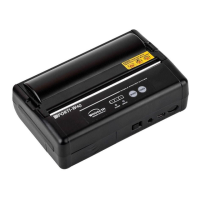
Identifies and labels the main parts of the printer, including buttons and lamps.
Provides the physical dimensions of the WSP-W40 printer in a diagram.
Step-by-step instructions on how to load and replace the thermal paper roll.
Details the required power supply voltage and current for the printer.
Provides instructions and warnings for installing and removing the printer's battery pack.
Explains how to recharge the battery pack using the charger and indicates charging status lamps.
Guides users through changing printer modes (interface, density, etc.) using button combinations.
Presents a table detailing the memory switch options for various printer modes and settings.
Describes the USB interface, pinout of the mini USB socket, and connection notes.
Details the Bluetooth specifications, frequency band, protocol, and profiles supported by the printer.
Explains the function of the printer's buttons (FEED, MODE) and lamps (Power, Error, Battery).
Provides steps to initiate and interpret the printer's self-test function for checking settings.
Lists the required type, width, thickness, and diameter for thermal paper.
Illustrates the printable area on the thermal paper roll and margins.
 General
| Model | WSP-W40 |
|---|---|
| Type | Mobile Printer |
| Print Method | Direct Thermal |
| Resolution | 203 dpi |
| Connectivity | Bluetooth, USB |
| Emulation | ESC/POS |
| Print Width | 104 mm |
| Print Speed | 100 mm/sec |
| Paper Width | 112 mm |
| Operating Temperature | -10°C to 50°C |
| Storage Temperature | -20°C to 60°C |
| Operating Humidity | 20% ~ 80% RH |
| Storage Humidity | 10% ~ 90% RH |

 To Next Page