WSP-W40 Rev. 3.2
http://www.woosim.com
12
2
2
.
.
4
4
.
.
R
R
e
e
p
p
l
l
a
a
c
c
i
i
n
n
g
g
t
t
h
h
e
e
p
p
a
a
p
p
e
e
r
r
r
r
o
o
l
l
l
l
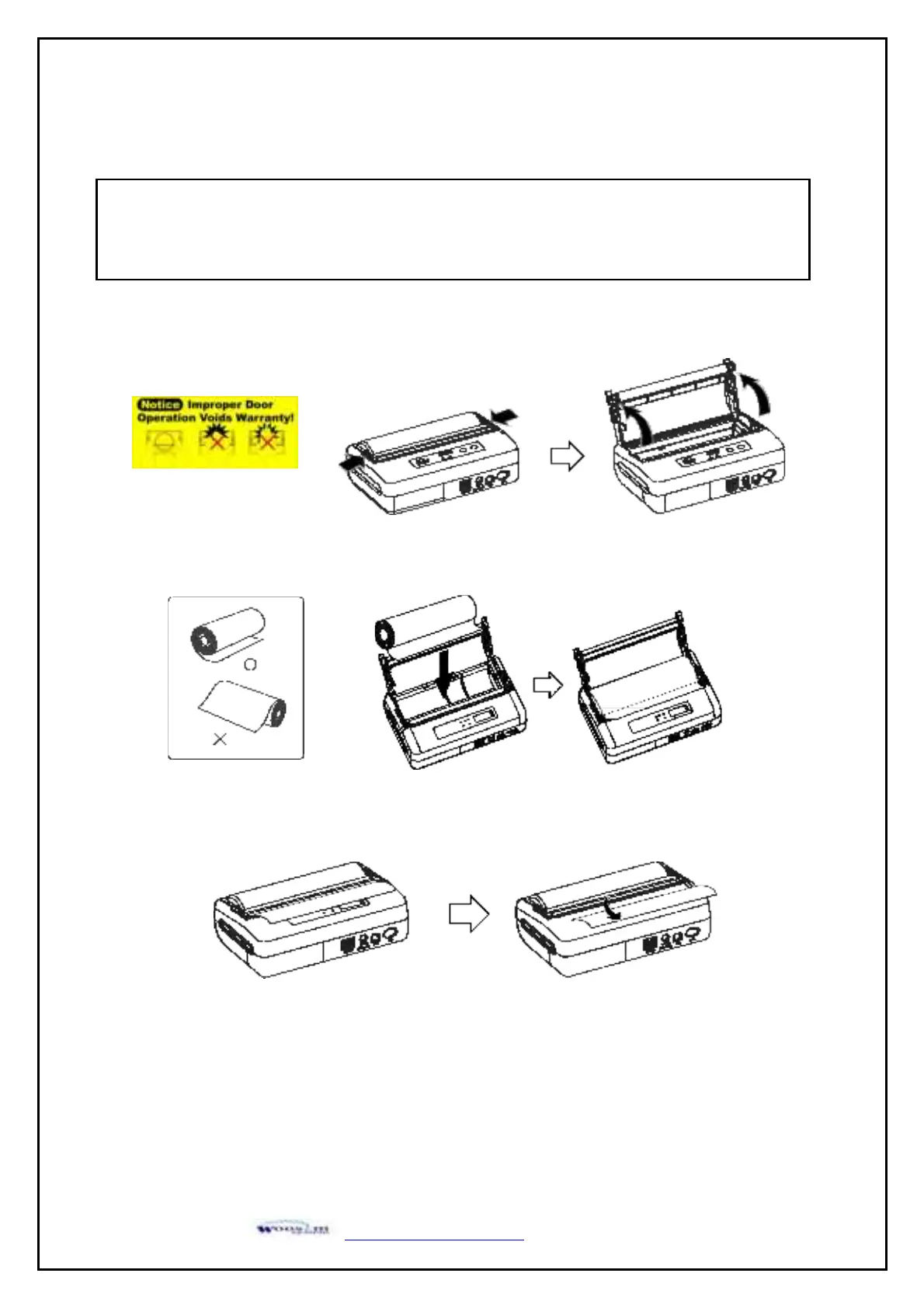
1. Make sure that the printer is not receiving data; otherwise, data may be lost.
2. Open the paper cover using finger on both side of printer, and remove the remaining paper.
3. Insert the paper roll as shown.
4. Tear the excess paper off using the edge of paper door as a tear bar.
Note : Be sure to use paper rolls that meet the specifications.
Do not use paper rolls that have the paper glued to the core because the printer can not
detect the paper end correctly.


 To Next Page