WSP-W40 Rev. 3.2
http://www.woosim.com
13
2
2
.
.
5
5
.
.
P
P
o
o
w
w
e
e
r
r
s
s
u
u
p
p
p
p
l
l
y
y
2
2
.
.
5
5
.
.
1
1
.
.
I
I
n
n
t
t
e
e
r
r
n
n
a
a
l
l
p
p
o
o
w
w
e
e
r
r
s
s
u
u
p
p
p
p
l
l
y
y
The following specification is requested for Power supply.
Rated voltage : DC 8.4V / 0.8A
Avoid using power supply which its power capacity of power current is extremely high.
2
2
.
.
5
5
.
.
2
2
.
.
I
I
n
n
s
s
t
t
a
a
l
l
l
l
i
i
n
n
g
g
t
t
h
h
e
e
B
B
a
a
t
t
t
t
e
e
r
r
y
y
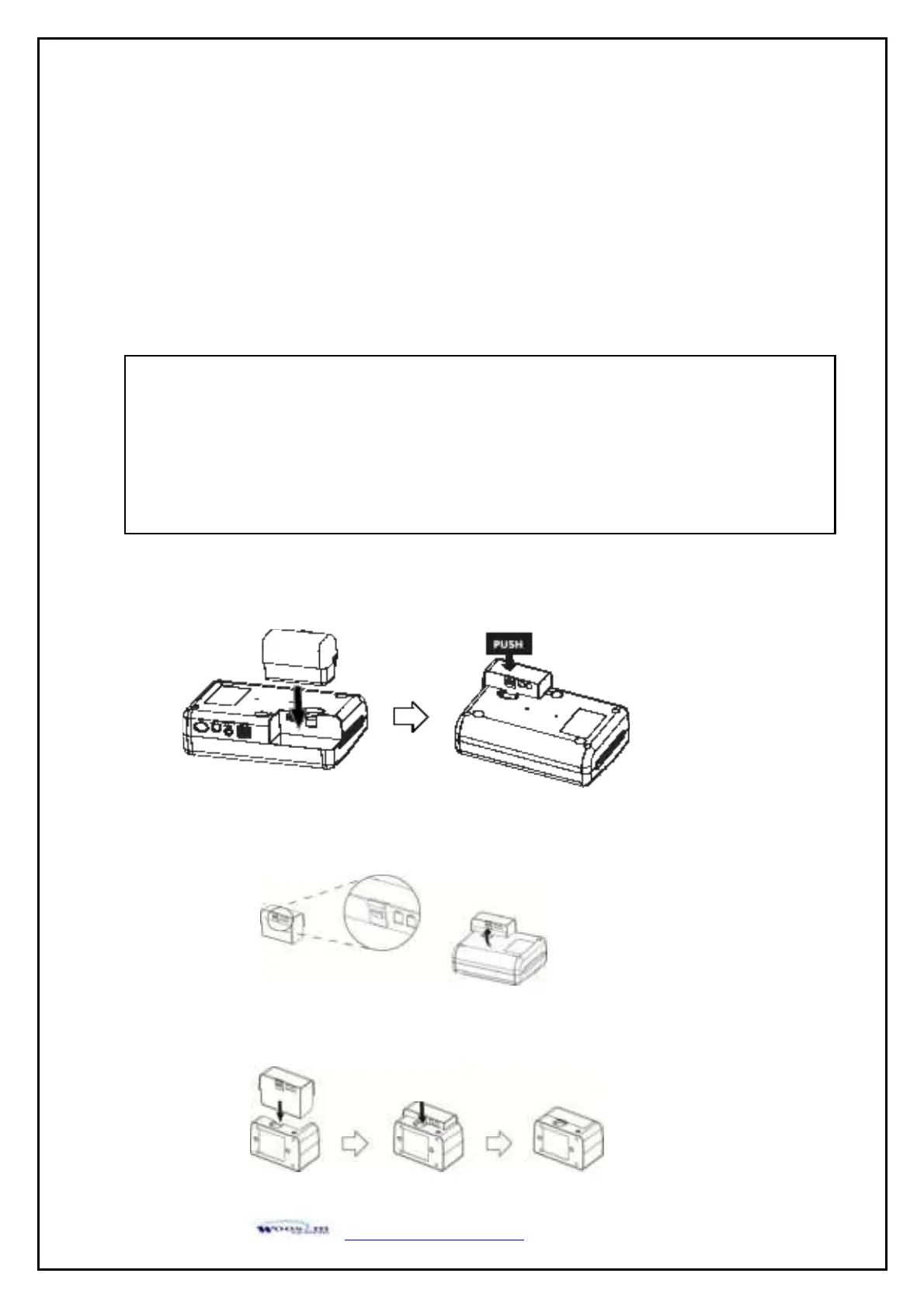
① To install battery pack, proceed as follows:
-Insert the Battery Connector in the direction of the arrow.
② Removing the battery pack
- Turn the printer power off and push the battery pack lock and to lift up the direction of the
arrow.
③ The battery pack install into External Battery Cradle.
- Insert the battery pack in the direction of the arrow.
Warning :
● Before installing or removing the battery pack, ensure the printer is OFF.
● If the printer is not used for long period of time, remove the battery pack from the printer.
● Risk of explosion if battery is replaced by an incorrect type.
Dispose of used batteries according to the instructions.
● Batteries are provided not being charged. Please charge the battery before use.


 To Next Page