WSP-W40 Rev. 3.2
http://www.woosim.com
18
4
4
.
.
U
U
s
s
i
i
n
n
g
g
t
t
h
h
e
e
p
p
r
r
i
i
n
n
t
t
e
e
r
r
4
4
.
.
1
1
.
.
C
C
o
o
n
n
t
t
r
r
o
o
l
l
p
p
a
a
n
n
e
e
l
l
4
4
.
.
2
2
.
.
T
T
h
h
e
e
s
s
e
e
l
l
f
f
t
t
e
e
s
s
t
t
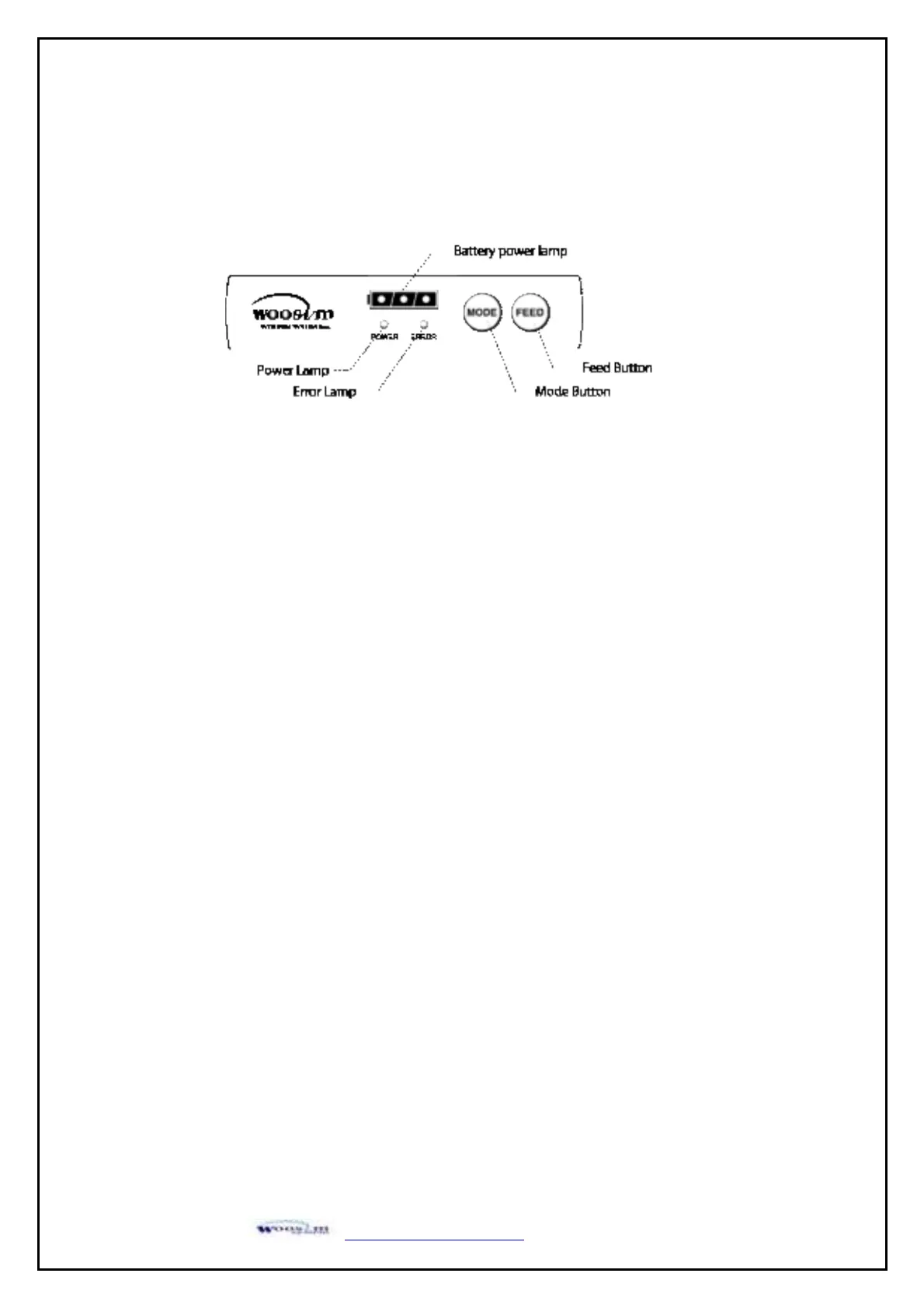
Button
- FEED Button : Use feed button to feed the paper continuously.
- MODE Button : MODE Button is for use to change communication mode.
Do not operate the mode button without instructions.
LAMP
- Power : Printer is ON and ready to receive data.
(
GREEN)
- Error : Indicates a fault condition or a printer error.
(RED) (details: no paper, paper cover opened. etc.)
- Battery Power : These lamps(Green) indicated the battery power remaining.
(GREEN) The battery gain in quantity and these lamps are on the decrease.
If so, you must recharge the battery by using the battery charger.
Self-Test prints out the current setting value of printer. The way of self-test is as follows.
1. Insert proper paper into the printer.
2. Power on while pressing feed button to start self-test.
3. Printer will print out the current status. (F/W version and set contents)
4. And then pattern of characters will be printed out.
5. Self-test will be finished automatically and turned to the standby status.
※ In case printer does not work properly, please contact Woosim customer service center.
(Fig.4.1)


 To Next Page