9
Note:
Press and hold the "Toss a treat"
button to toss up a treat
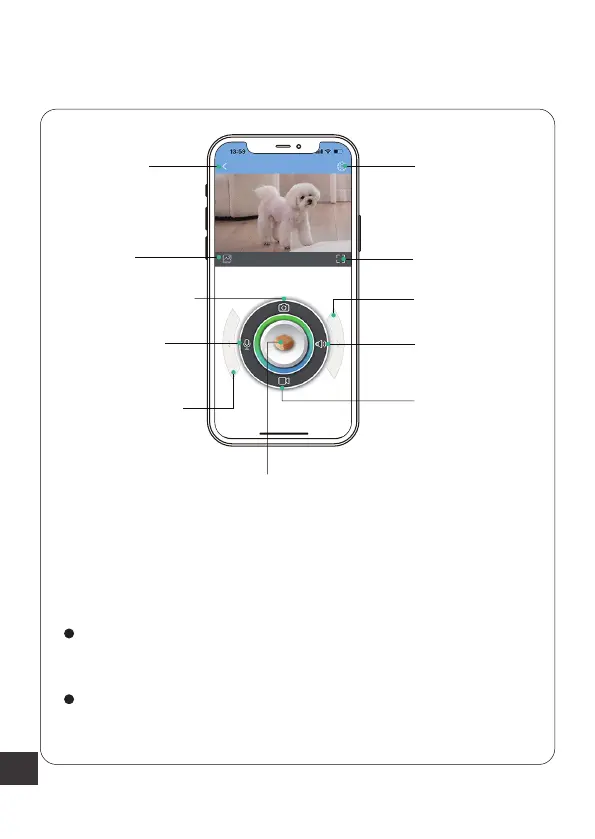
App Interface Function Introduction
On this page, you can take a photo or video of your cute
pet, and they are saved in the "Gallery" section.
You can set voice interaction with your pet using "Voice
Chat" and "Sound" options.
Page up
Full Screen
Sound
Toss A Treat
Record
Setting
Gallery
Capture Photo
Voice Chat
RotateAngle
Button
RotateAngle
Button



 To Next Page