Displays
6 720 811 922 (2014/07) 47
11 DISPLAYS
The display shows the following (table 28 and 29):
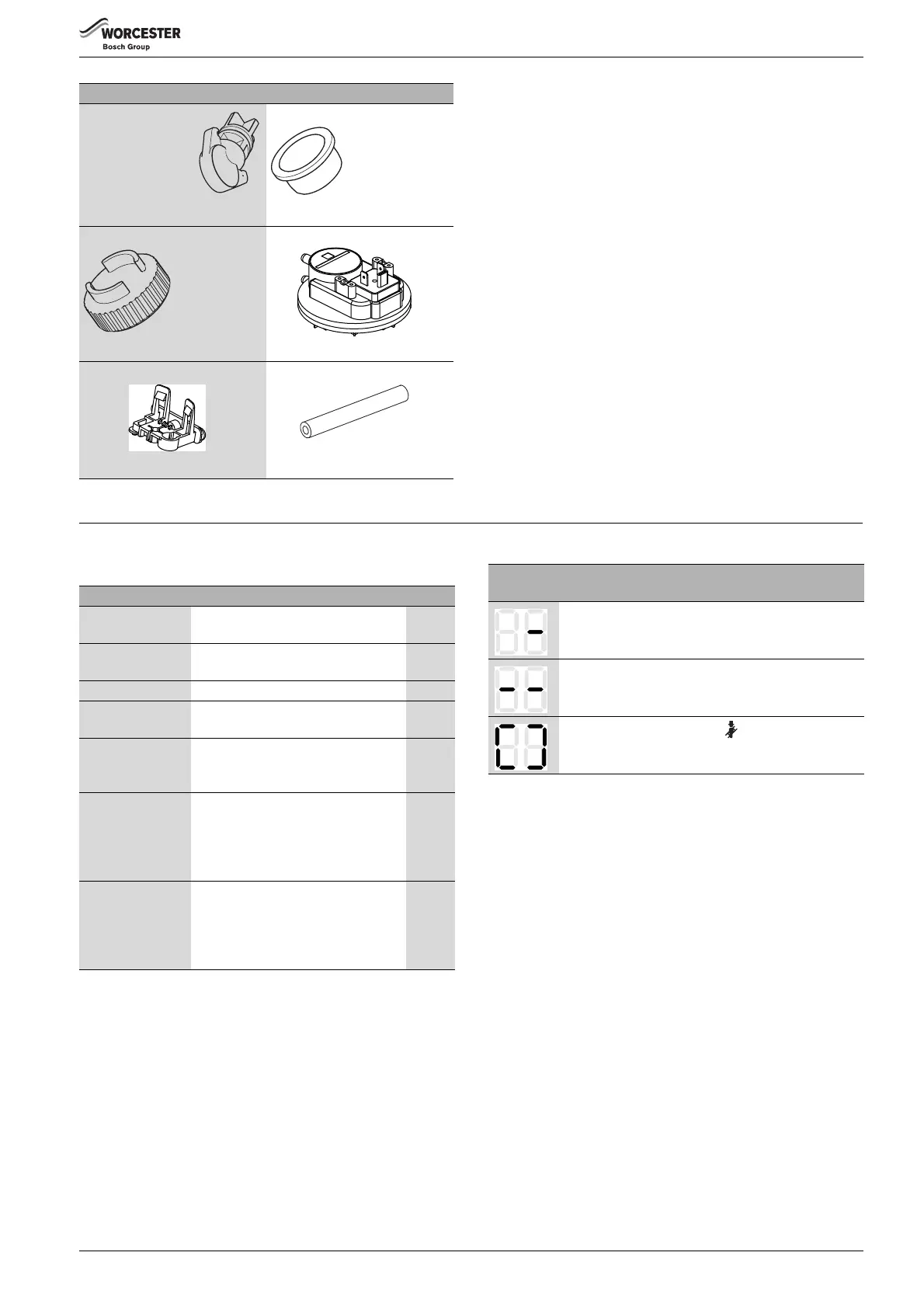
Flue sample plug
- vertical adapter
8 710 506 199 0
Flue sample plug - air intake
8 716 111 253 0
Flue sample plug - gas outlet
8 716 111 252 0
Air pressure switch
8 716 106 633 0
Air pressure switch bracket
8 718 641 789 0
Hose
8 716 010 113 0
Table 27
Display Description Range
Figure or letter, dot
followed by letter
Service function
( table 21/ 22, page 34)
Letter followed by
figure or letter
Fault code flashes
( table 30, page 48)
Two figures Decimal value e.g. flow temperature 00..99
U followed by 0..9 Decimal value; 100..109 is displayed
as U0..U9
0..109
One figure
followed by two
times two figures
Decimal value (three digits);
first digit is shown alternating with the
two last digits (e.g. 1..69 means 169)
0..999
Two dashes
followed by two
pairs of figures
Code plug number;
Value is shown in three stages:
1. Two dashes
2. First two figures
3. Last two figures (e.g.: -- 10 04)
9999
Two letters
followed by two
pairs of figures
Version number;
Value is shown in three stages:
1. First two letters
2. First two figures
3. Last two figures (e.g.: CF 10 20)
Table 28 Displays
Special
display
Description
Acknowledge by pressing any key (except reset).
Acknowledge by pressing two keys simultaneously.
Acknowledge by holding down for more than 3
seconds (save function).
Table 29 Special displays



 To Next Page