STARTING AND STOPPING THE HYBRID SYSTEM
6 720 803 688 (2012/11)8
You can check which of the following control modes the contractor has
set for you in the Info menu ( technical documentation FW200) on the
FW200 weather-compensated controller.
• CO2-optimised
With CO
2
-optimised mode, the system control decides when
operating the heat pump or boiler results in the greatest CO
2
reduction.
• Cost-optimised
With the cost-optimised mode, the system control decides on the
basis of current energy prices. Rising gas prices result in longer
operation of the heat pump, whilst rising electricity prices result in
longer operation of the boiler.
• Changeover temperature
With outside temperature-dependent mode, the boiler starts
operating from a defined outside temperature.
• CO2:cost mix
Mixed mode comprising environmental factors and costs.
Environmental aspects and financial aspects are both taken into
account.
4.5.2 INSTALLER SETTINGS: HYBRID MENU
The following parameters must be set by the installer:
Control modes for hybrid systems:
• CO2-optimised
• Cost-optimised
• Changeover temperature
• CO2:cost mix
4.5.3 MAIN MENU: ENERGY:PRICE RATIO
This menu option is only available if the control strategy has been set to
cost-optimised or CO2-cost-Mix at contractor level.
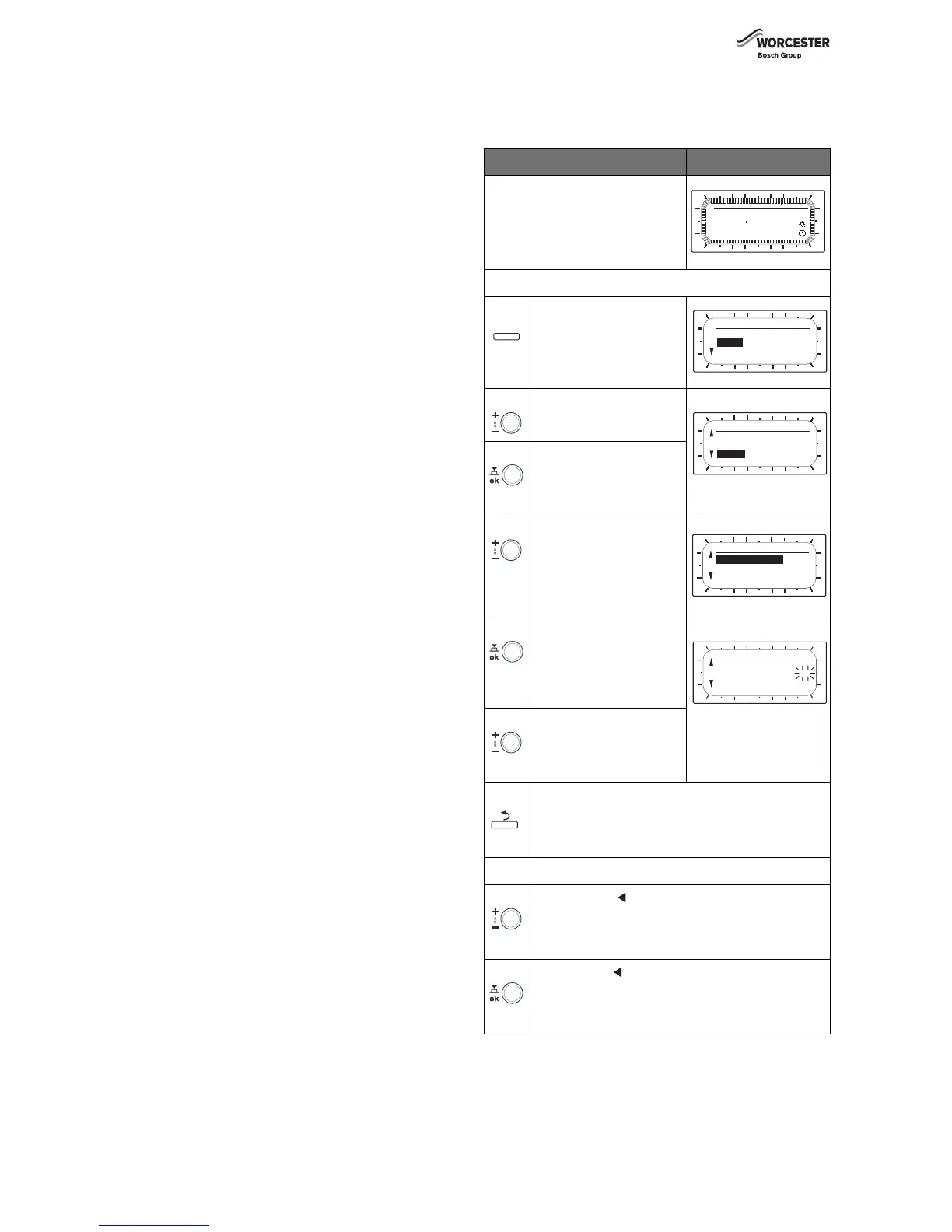
Operation Display
▶Open flap.
The standard display continues to
be shown.
Calling up the main menu:
Press The MAIN MENU is
displayed.
Turn ▶ Highlight the Hybrid
menu option.
Press ▶ Confirm the selected
Hybrid menu option.
The Hybrid menu is
displayed.
Turn ▶ Highlight the
Energy:price ratio menu
option.
Press ▶ Confirm the selected
Energy:price ratio menu
option.
Turn ▶ Set the required value.
Setting range: 0.0 to 19.9
Factory setting: 3.3
(see table 3, page 11)
Press ▶ Call up the next menu up.
-or-
Turn ▶ Highlight the Back menu option.
Press ▶ Confirm the Back menu option.
The next menu up is displayed.
Table 2 Setting the energy price ratio Electricity/fossil fuel



 To Next Page