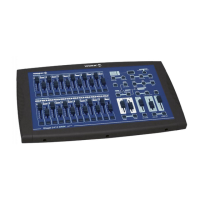
NEMESIS 136
Table of Contents
1 General Introduction………………………………………………………………………...….. 3
2 Safety Rules……………………………………………………………………………………....
3
3 Notice Information……………………..………………………………………………………... 3
4 Features and Specifications…………………………………………………………………....
4
4.1 Features………………………………………………………………………….…………4
4.2 Specifications……………………………………………………………………………....4
5 Basic Control Parts……………………………………………………………………………..
4
5.1 Front view………………………………………………………………………………….. 4
5.2 Rear view……………………………………………………………………………………6
6 Operation Guide………………………………………………………………………………….7
(operation upon Fixtures)………………………………………………………………….…7
6.1 Control Fixture channels by “joystick”…………………………………………………...
7
6.2 Program or record a Fixture Scene / Chase…………………………………………….7
6.2.1 Program / record a Fixture Scene………………………………………………7
6.2.2 Program / record a Fixture Chase……………………………………………...
7
6.3 Select or deselect a Fixture Scene / Chase………………………………………….…
8
6.3.1 Select / deselect a Fixture Scene………………………………………….…..
8
6.3.2 Select / deselect a Fixture Chase……………………………………………...
9
6.4 Delete a Fixture Chase…………………………………………………………………...
9
(operation upon PARs)…………………………………………………………………...…
10
6.5 Program or record a PAR Scene / Chase……………………………………………...10
6.5.1 Program / record a PAR Scene………………………………………………..10
6.5.2 Program / record a PAR Chase……………………………………………....
10
6.6 Select or deselect a PAR Scene / Chase………………………………………..……
10
6.6.1 Select / deselect a PAR Scene…………………………………………….…
10
6.6.2 Select / deselect a PAR Chase…………………………………………….…
11
6.7 Delete a PAR Chase……………………………………………………………………..
11
7 Settings………………………………………………………………………………………….
12
7.1 Enter the setting mode…………………………………………………….………….…
12
7.2 Save data to the CF card…………………………………………………….………….
12
7.3 Read from the CF card……………………………………………………………….…
12
7.4 Patch channel (assign)……………………………………………………………….…
12
7.5 PAN / TILT FADE ONLY………………………………………………………………...
13
7.6 Display mode (100/255)…………………………………………………………….…..
13
7.7 MIDI channel………………………………………………………………………….….
13
8 Notice for CF Card……………………………………………………………………………...
13
9 MIDI Implementation……………………………………………………………………….…..
14
10
To clear the memory…………………………………………………………………….……... 14
2


 To Next Page