ENGLISH
3
0
2
4
6
8
10
0
2
4
6
8
10
0
2
4
6
8
10
0
2
4
6
8
10
1
2
RECORD
PAGE
1234
0
2
4
6
8
10
0
2
4
6
8
10
RECORD
FLASH 25 - 48
RECORD
REC
EXIT
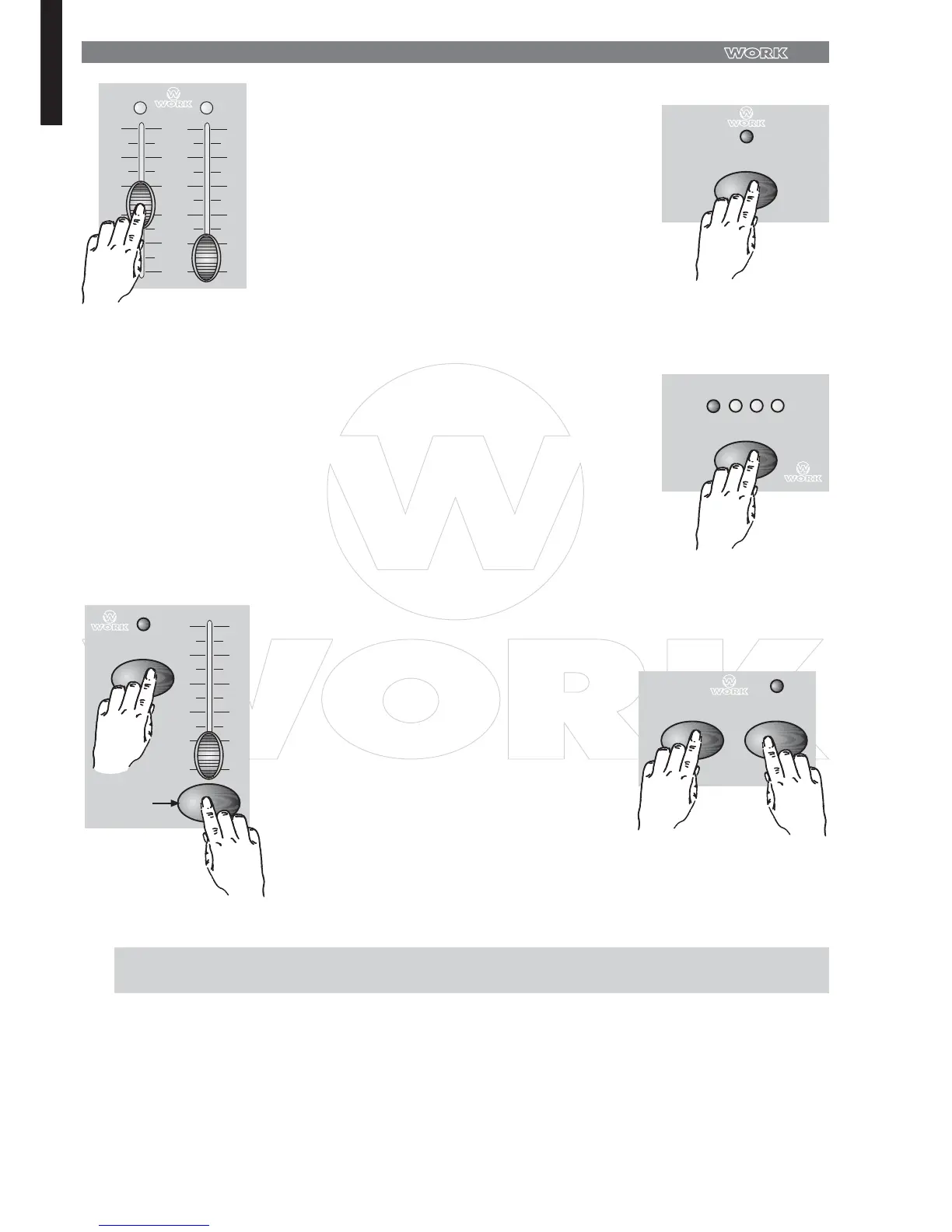
Program Scenes
Create a desired scene using Channel Sliders
1-48 At % or DMX 0, these slider should be
at 0 position, and at 100% or DMX 255, these
sliders should be at 10 position.
3 .
Once the scene is satisfactory, tap the Record
button to program the scene as a step into the
memory.
4 .
Repeat step 3 and step 4 until all desired steps
have been programmed into memory.
You may program up to 1000 steps into
memory.
5 .
Select a chase bank or scene master to store
your program. Tap the Page button to selected
a page (Page 1-4) to store your scenes.
6 .
1 . Record enable.
2 . Push Master A & B to maximum position and Fade slider to top.
3 . Tap the Mode Select button to select 1-48 Single mode.
4 . Push Channel slider 1 to the top position, its LED light at full intensity.
5 . Tap the Record button to program this step into memory.
6 . Repeat steps 4 and 5 until you've programmed Channel slider 1-32.
7 . Tap the Page button causing Page 1 LED lights.
8 . Tap the Flash button 25 whle holding down the Record button, all LEDs will flash
indicating you've programmed the chase into memory.
7 . Press a Flash button between 25-48 while
holding down the Record button. All LED will
flash indicating the scenes have been
programmed into memory.
8 .
You can continue programming or exit.
To exit Program mode, tap the Exit button
while holding down the Record button, the
Record LED should go out.
EXAMPLE : Program a 16 steps chase with channel 1 - 32 at full in sequence into Flash button 25 of Page 1



 To Next Page