HANGZHOU BLUE WHALE MUSIC TECHNOLOGY CO.,LTD HANGZHOU WORLDE MUSIC ELECTRONIC CO., LTD
WEBSITE: WWW.WORLDE.COM.CN EMAIL:SALES@WORLDE.COM.CN TEL:86 571 88730848
- 20 -
Arp Rhythms
Arp Rhythms add musical rests (silent steps) to your arpeggio’s pattern, allowing for greater variations in your arpeggios.
Hold Arp then press one of the following, which will turn the pads blue.
Dots
- These three options are rhythmic patterns.
O
– The normal Arpeggiator setting, this places a note on every division of the selected Arp rate.
OXO
(note - rest - note) – This rhythm adds a rest between every pair of notes.
OXXO
(note - rest - rest - note) – This pattern adds two rests between every pair of notes.
Latch
Latch lets you use the Arpeggiator without holding down keys. Any notes you press and release concurrently will form a new arpeggio
pattern which the arpeggiator ‘latches’ onto. The arpeggiator then continues to play as if you never released the keys. When you press a
new key, the previous arpeggio erases and a new one forms.
To turn on Latch, press and hold the Arp button, and then press the key below ‘Latch’. The pad below Volume will change from light pink
to pink when you enable Latch, and you can see this pad whether you’re adjusting the Arp Mode, Rate, Octave or Rhythm.
Arp Pads
The pads of the Orca mini 25 help to visually confirm the current Arp state. When the Arp button is held the pads will light up in different
colours, indicating these Arp settings: red (Arp Modes), green (Arp Rates), blue (Arp Octaves), light blue (Arp Rhythms), and light
pink/pink (Latch).
The top row of pads select the Arp groups: Arp Modes, Arp Rates, Arp Octaves, Arp Rhythms, and Latch (On/Off). The bottom row of
pads select the different options within the selected group(from the top row).
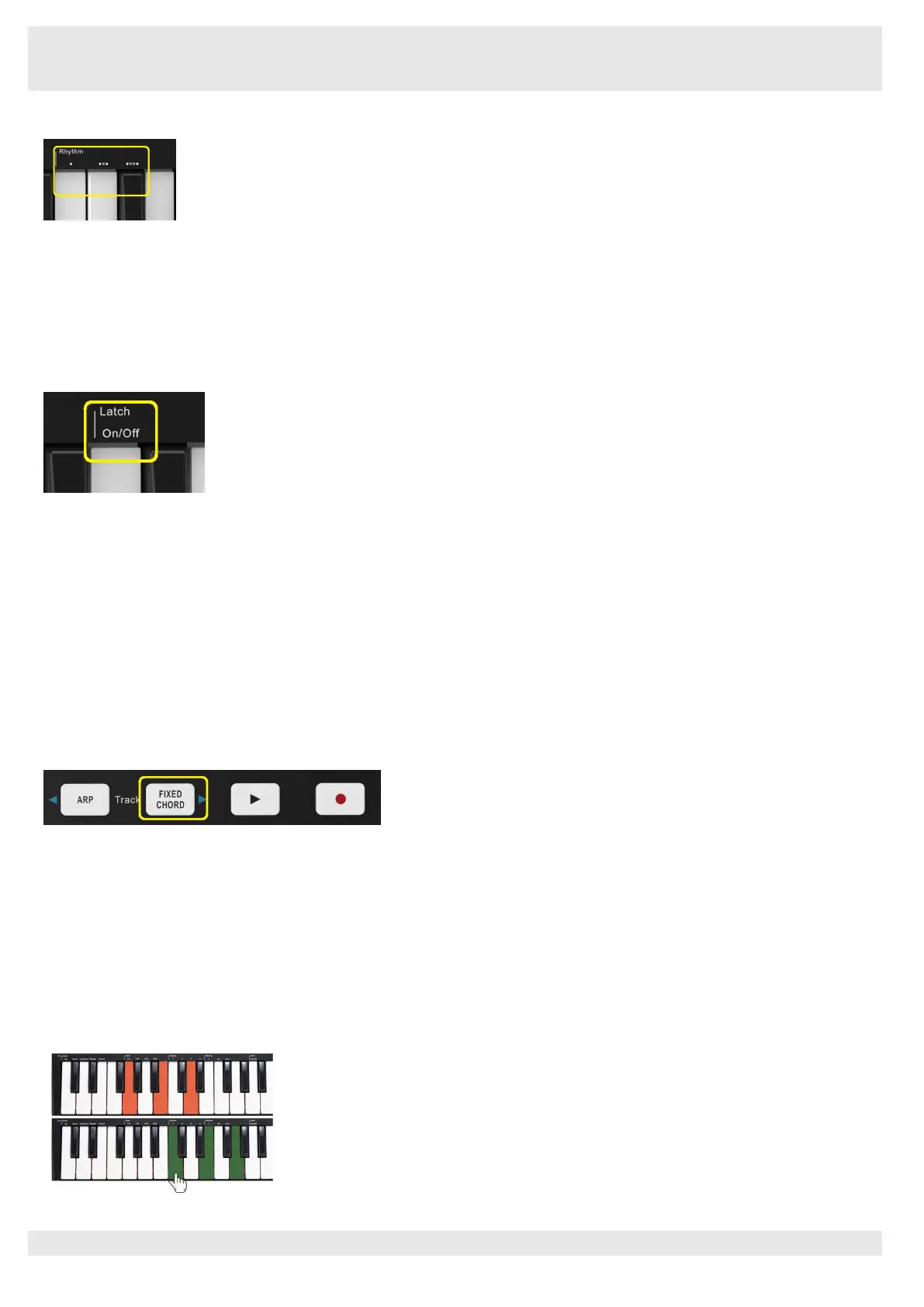
6.1.10 Fixed Chord
Fixed Chord lets you play a chord shape and then transpose it by pressing other keys.
Press and hold the Fixed Chord button to set a chord. Then, while still holding the button, press and release the keys that you wish to be
part of your chord. The chord is now stored.
Keep in mind that the first note that you input into the chord is considered the ‘root note’ of the chord, even if you then add notes lower
than the first one, like in the example below.
These steps illustrate how to use Fixed Chord:
Press and hold the Fixed Chord button.
Press and release C, then E, and finally G (a C Major chord). Orca mini 25 stores this as the ‘fixed chord’.
Release the Fixed Chord button.
Major chords will now sound on whatever key you press. For example, you can now press F to hear an F Major chord (shown below), or
Ab to hear an Ab Major chord, etc. Whenever you enter the Fixed Chord settings, the stored chord is erased and a new chord must be
entered for Fixed Chord to work again.



 To Next Page