HANGZHOU BLUE WHALE MUSIC TECHNOLOGY CO.,LTD HANGZHOU WORLDE MUSIC ELECTRONIC CO., LTD
WEBSITE: WWW.WORLDE.COM.CN EMAIL:SALES@WORLDE.COM.CN TEL:86 571 88730848
- 19 -
length.
Arp Modes
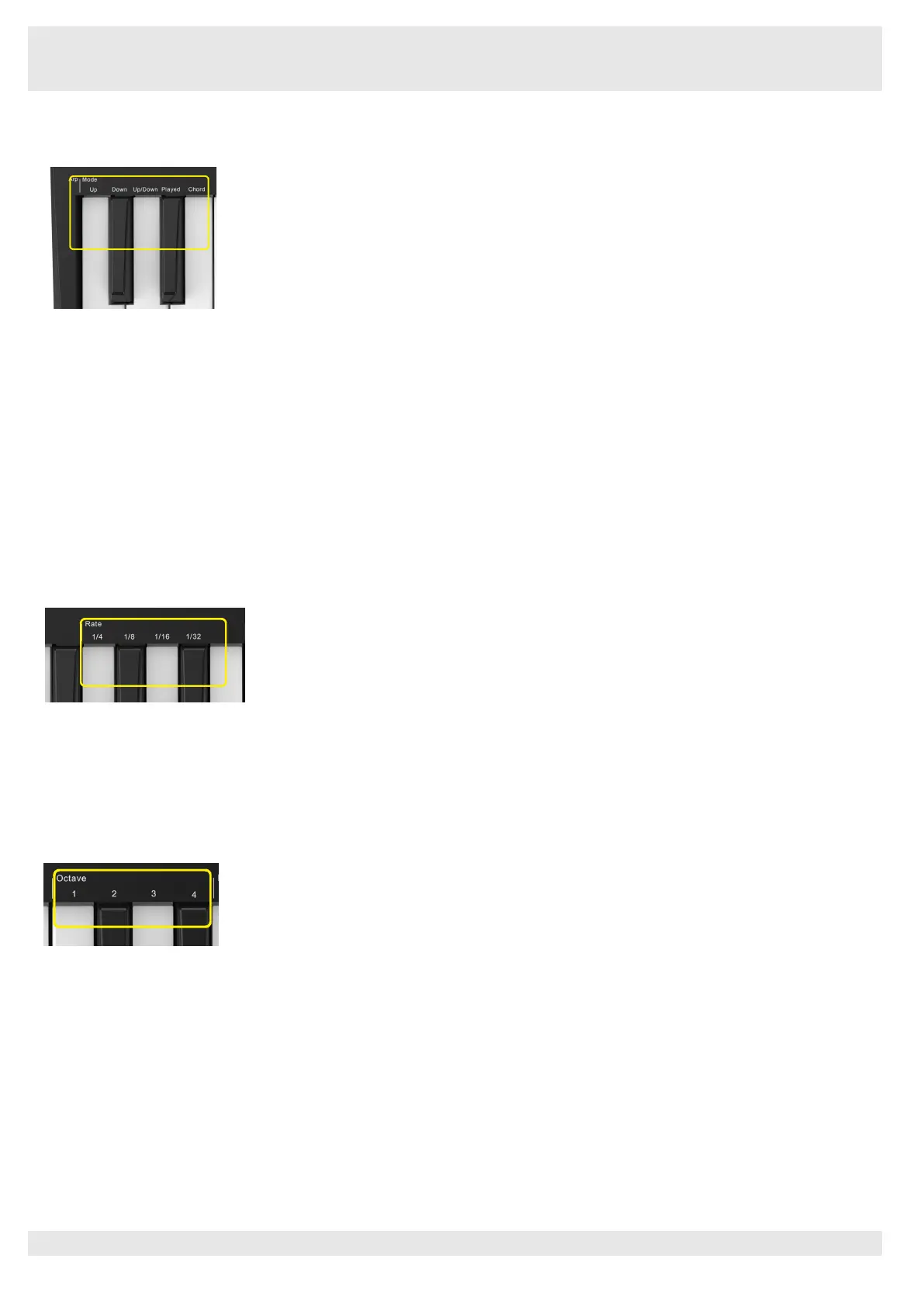
After turning on Arp you’ll be in 1 of 5 Arpeggiator Modes, each resulting in arpeggios of different note orders. To change the Arp Mode,
press and hold the Arp button, and then press the key corresponding to your desired mode. After pressing a key, you can see the pad
above reflect your changes (as per the previous section).
Up
–
Here notes are played in ascending order (ie rising in pitch). If notes are added, the number of notes in the sequence will grow but
remain in ascending order. For example, you may start by holding down a first note - E3 - then quickly add two more notes - C3 and G3.
The resulting arpeggio will be C3, E3 and G3.
Down
–
This Mode is similar to Up Mode, but notes play in descending order (eg G3, E3, C3).
Up/Down
–
This arpeggio Mode starts by playing notes in ascending order. Then, after reaching the highest note, the notes descend
towards the lowest note, which plays once before the arpeggio rises again and stop before reaching the lowest note. This means that
when the pattern repeats, the lowest note only plays once.
Played
–
Here notes are kept repeated in whatever order they were played.
Chord
–
All notes are played back on every rhythmic step (see Arp Rate). This makes playing fast chords very easy.
Arp Rates
These options specify the speed of the arpeggiated notes. Since each note is played immediately after the end of the previous one, a
shorter rate (eg 1/32) will play an arpeggio faster than longer one (eg 1/4).
Rate options are common musical note values: quarter (¼), eighth (1/8), sixteenth (1/16) and thirty-second (1/32) notes. To change the
Arp Rate, press and hold the Arp button, and then press the key below 1/4, 1/8, 1/16, or 1/32.
Additionally, you can toggle triplet rhythms on/off for each of the above musical values by clicking the key below ‘Triplet’. This turns your
arpeggio notes into quarter, eighth, sixteenth and thirty-second note triplets.
Arp Octaves
These 4 keys specify across how many octaves your arpeggio will repeat. To change, press and hold the Arp button, and then press the
key below 1, 2, 3 or 4. Choosing an octave higher than 1 will repeat the arpeggio at higher octaves. For example, an arpeggio that was
C3, E3, and G3 at 1 octave will become C3, E3, G3, C4, E4, and G4 when set to 2 octaves.



 To Next Page