EasyManua.ls Logo

Wouxun KG-1000G Plus - User Manual

Wouxun KG-1000G Plus
124 pages
Print Icon
To Next Page IconTo Next Page
Loading...
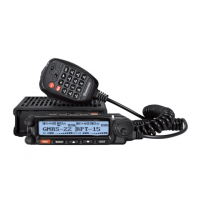
ank you for purchasing the Wouxun KG-1000G Plus mobile GMRS radio.
Your feedback makes our products better. Please share your thoughts.
feedback@buytwowayradios.com
www.buytwowayradios.com

Table of Contents

Questions and Answers

  • K
    Kara ThomasJul 28, 2025
    What to do if the receive indicator is on but no sound is heard on my Wouxun KG-1000G Plus Radio?
    • L
      Luis DixonJul 28, 2025
      If your Wouxun Radio's receive indicator is on but you're not hearing any sound, first, make sure the volume level is adequately adjusted. If the volume isn't the issue, verify that CTCSS/DCS is disabled, or that the setting matches the incoming transmission. Also, check the squelch settings.
  • S
    smithkatrinaAug 1, 2025
    Why does my Wouxun Radio transceiver automatically shut off?
    • L
      Logan MartinAug 1, 2025
      If your Wouxun Radio transceiver automatically shuts off, verify that the power source is not below 11.5 volts. Also, check if the APO menu setting is activated.
  • P
    Patricia HarrisonAug 5, 2025
    How to stop unwanted interference on my Wouxun KG-1000G Plus Radio?
    • J
      James JohnstonAug 5, 2025
      If your Wouxun Radio is receiving unwanted interference, enable CTCSS or DCS tone to filter out unwanted transmissions. Alternatively, try using a different channel.
  • W
    William GibsonAug 9, 2025
    Why is the keypad on my Wouxun Radio unresponsive?
    • L
      lisa19Aug 10, 2025
      If your Wouxun Radio keypad is unresponsive, first check to see if the keypad has been locked. Also, check if other keys are currently pressed.
  • J
    Jason FrazierAug 13, 2025
    What to do if my Wouxun KG-1000G Plus does not transmit or receive?
    • T
      Tiffany WallerAug 14, 2025
      If your Wouxun Radio does not transmit or receive, check if the transceiver has been stunned or killed.
  • G
    greg58Aug 18, 2025
    Why I cannot transmit in repeater mode on my Wouxun Radio?
    • J
      Joseph CollinsAug 18, 2025
      If you cannot transmit in repeater mode on your Wouxun Radio, check to see if the receiver’s squelch and CTCSS / DCS settings are correct.
  • R
    raymondosbornAug 23, 2025
    How to fix repeater mode not working on Wouxun KG-1000G Plus?
    • B
      barnesanneAug 23, 2025
      To get your Wouxun Radio repeater mode working, be sure the A/B area is set for the repeater’s correct operating frequency.

Summary

Safety Information

Radio Operation and EME Exposure

Guidelines for safe antenna use, modifications, and exposure.

FCC Licensing Information

Details on GMRS licensing requirements and FCC compliance.

Installation and Setup

Package Contents and Core Installation

Lists included items and covers transceiver mounting.

Power, Antenna, and Front Panel Connections

Explains how to connect power, antenna, and install the front panel.

Basic Operation

GMRS Overview and Initial Setup

Introduces GMRS, the radio, powering on, and basic channel selection.

Advanced Operation

Repeater Mode Configuration

Details on setting up two radios to function as a repeater.

Troubleshooting

Common Problems and Solutions

Addresses issues like no sound, unresponsive keypad, and interference.

Technical Information

Wouxun KG-1000G Plus Specifications

General IconGeneral
Power Output50W
ModulationFM
Operating Temperature-20°C to +60°C
IP RatingIP54
Frequency Range400-480MHz
BatteryLi-ion
Operating Voltage13.8V DC
HumidityUp to 95%
FeaturesDTMF, ANI, CTCSS/DCS, Scan, VOX
Channel Spacing12.5 kHz, 25 kHz
Voltage13.8V DC

Related product manuals