Need help?
Do you have a question about the Wouxun KG-1000M and is the answer not in the manual?
Important tips for safe operation and warranty notice for non-Wouxun accessories.
Device compliance with FCC rules and warnings about modifications.
Guidelines for antenna use and preventing damage or FCC violations.
Details on MURS licensing and FCC acceptance for the KG-1000M.
Lists all items included in the KG-1000M package.
Instructions on how to safely mount the transceiver in a vehicle.
Details on connecting the transceiver to a power source and voltage requirements.
Procedure for replacing a blown fuse and recommended fuse specifications.
Instructions for connecting an antenna and importance of impedance and tuning.
Guides for installing the inclined and flat switchboard panels.
Steps for connecting the front panel cable and securing it.
Procedure to detach the front panel from the transceiver body.
Details on the 8-pin RJ-45 cable and its specific wiring.
How to mount the support bracket for a detached front panel.
Information on connecting external speakers and output ports.
How to connect the hand microphone to the transceiver.
Lists key features and specifications of the KG-1000M radio.
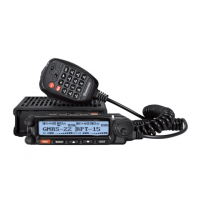
Identifies and explains the controls and indicators on the front panel.
Explains the various indicators and icons displayed on the LCD screen.
Details the connectors and ports located on the back of the transceiver.
Describes the ports available on the side panels of the transceiver.
Identifies and explains the buttons and indicators on the hand microphone.
Overview of MURS service and the KG-1000M radio's capabilities.
Guide for initial setup, including channel selection and MURS bandwidth rules.
Basic steps for transmitting and receiving signals with the radio.
Explanation of the dual display function and managing two channels.
How to operate the radio in channel mode versus frequency (VFO) mode.
How to change frequency bands when operating in VFO mode.
Instructions for activating and using the NOAA weather broadcast reception.
Details on using function keys on the hand microphone for quick access.
How to perform scanning on both display areas concurrently.
Function of the UP arrow key for frequency/channel selection.
Function of the DOWN arrow key for frequency/channel selection.
How the MENU key is used for navigation and saving settings.
Adjusts the frequency step size in VFO mode.
Sets the radio's operating bandwidth to Wide or Narrow.
Prevents transmission on a busy channel to avoid interference.
Selects how scanning behaves upon detecting a signal.
Sets an alarm for exceeding the transmit time limit.
Allows users to enter and edit custom names for channels.
Enables or disables the priority channel scanning feature.
Sets the CTCSS tone for receiving signals on a channel.
Sets the DCS code for receiving signals on a channel.
Resets the transceiver to its default factory settings.
Assigns specific functions to the 'A', 'B', and 'C' keys.
Sets the LCD backlight timeout duration.
Enables the built-in FM radio receiver function.
Configures alerts and power-off for low battery voltage.
How to use the keypad for DTMF tone generation during transmission.
Procedures for configuring non-standard CTCSS tones and DCS codes.
Solutions for when the radio indicates reception but no audio is produced.
Troubleshooting steps for an unresponsive keypad.
Methods to filter out or reduce unwanted radio interference.
Identifying and resolving unexpected voice pauses during operation.
Troubleshooting steps if the scanning function fails to initiate.
Reasons and solutions for the transceiver shutting down unexpectedly.
Steps to diagnose and resolve issues preventing transmission.
Detailed technical specifications for the KG-1000M transceiver.
A list of standard CTCSS tones and their corresponding numerical values.
Table listing default MURS channels, frequencies, and names.
List of frequencies for NOAA weather broadcast channels.
Provides a link to purchase Wouxun accessories and related products.
Details the warranty period, terms, and conditions for the product.

 To Next Page
 General