EasyManua.ls Logo

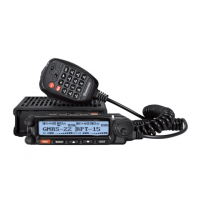
Wouxun KG-1000G - User Manual

Wouxun KG-1000G
88 pages
Print Icon
To Next Page IconTo Next Page
Loading...
ank you for purchasing the Wouxun KG-1000G mobile GMRS radio.
Your feedback makes our products better. Please share your thoughts.
feedback@buytwowayradios.com
www.buytwowayradios.com

Questions and Answers

Summary

Safety Information

Radio Operation and EME Exposure

Use only approved antennas and avoid holding the antenna during use.

FCC Licensing Information

Details GMRS licensing requirements and how to obtain an FCC license.

Installation and Setup

Whats Included

Lists all items included in the box for the transceiver.

Transceiver Installation

Instructions for safely installing the transceiver unit inside a vehicle.

Connecting a Power Source

How to connect the transceiver to a power source and voltage requirements.

Replacing the Fuse

Procedure for replacing a blown fuse and specifications for replacement.

Connecting an Antenna

Guide to connecting the appropriate antenna and connector types.

Front Panel Installation

Instructions for installing the angled or flat front panel.

Connecting Front Panel to Transceiver

Steps to connect the front panel to the main transceiver unit.

Front Panel to Transceiver Cable Specifications

Details about the 8-pin RJ-45 connector cable and its requirements.

Installing the Front Panel Support Bracket

How to install the support bracket for a detached front panel installation.

External Speakers

Connecting external speakers to the transceiver for audio output.

Hand Microphone Installation

Instructions for connecting the hand microphone to the front panel.

Getting Started

Feature Summary

Overview of the KG-1000G's key features and capabilities.

Front Panel Guide

Identifies and describes the function of each button/control on the front panel.

LCD Guide

Explains the various indicators and elements displayed on the LCD screen.

Panel Guides

Describes the back panel and side panels components and ports.

Hand Microphone

Explains the buttons, indicators, and speaker of the hand microphone.

Basic Operation

Introduction to Operation

Provides a general introduction to GMRS and the KG-1000G radio.

First Transmit and Receiving

Guides users through initial transmit, receiving, and channel selection.

Dual Display and Modes

Covers dual display usage, frequency/channel modes, and NOAA weather.

Repeater Channels and Hotkeys

Discusses repeater channels, locating repeaters, and hand microphone hotkeys.

Key Operational Hotkeys

Explains hotkeys for power, mode switching, squelch, scanning, and keypad lock.

Menu Functions

Basic Menu Settings

Covers STEP, W/N, MPOWSET, OFF-SET, ROGER, BCL, TOT, LOW-V, RESET.

Channel and Tone Management

Functions for deleting/naming channels, setting CTCSS/DCS tones.

Mode and System Configuration

Covers priority scan, speaker control, repeater settings, and auto-lock.

Advanced Menu Options

Covers SCRAM, SC-QT, SC-CTC, SC-DCS, RC-SW, PF1-SET, RPT-TONE.

Key Assignments and Radio Modes

Assigns functions to keys A/B/C and configures FM Radio/AM modes.

Advanced Operation

DTMF Encoding and Repeater Setup

Explains DTMF encoding and how to configure repeater mode.

Non-Standard CTCSS;DCS Settings

Guides on setting non-standard CTCSS and DCS codes for communication.

Troubleshooting

Technical Information

Specifications and Tones

Lists detailed technical specs, standard CTCSS/DCS tones.

Frequency Bands and Channels

Details default GMRS simplex, repeater, and NOAA weather channels/frequencies.

Optional Accessories

Limited Warranty

Wouxun KG-1000G Specifications

General IconGeneral
Channels999
Power Output50W (VHF), 40W (UHF)
Repeater CapabilityYes
DisplayLCD
Antenna ConnectorSO-239
CTCSS/DCSYes
IP RatingIP54
ModulationFM
Voltage13.8V DC
Operating Temperature-20°C to +60°C
Humidity5% to 95% (non-condensing)

Related product manuals