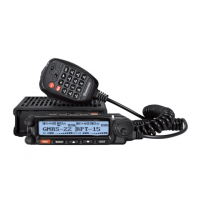
EasyManua.ls Logo

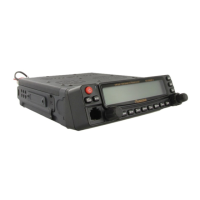
Wouxun KG-UV920R - User Manual

Wouxun KG-UV920R
36 pages
Print Icon
To Next Page IconTo Next Page
Loading...

Other manuals for Wouxun KG-UV920R

Question and Answer IconNeed help?

Do you have a question about the Wouxun KG-UV920R and is the answer not in the manual?

Summary

User Safety, Training, and General Information

RF Energy Exposure Standards Compliance

Explains compliance with national/international standards for human exposure to radio frequency energy.

Operational Instructions and Training Guidelines

Antennas & Batteries Usage

Details approved antenna and battery use for optimal performance and compliance.

Precautions for Safe Operation

Safety and Operation Guidelines

Lists essential safety precautions and operational guidelines for using the transceiver.

Shortcut Function and Menu Guide

Menu Operation Introduction

Introduces the menu operation for accessing various transceiver settings and functions.

Checking Equipment and Standard Accessories

Product Functions Overview

Twin Band Transmit;Receive Capabilities

Details frequency ranges for transmitting and receiving on both bands.

Technical Specifications

Pre-use Installation Guide

Vehicle Transceiver Installation

Guides on safely installing the transceiver in a vehicle using bracket and screws.

Power and Antenna Setup

Antenna Connection Importance

Front Panel Installation

Front Panel Connection and Mounting

Front Panel Overview

Front Panel Controls and Indicators

Identifies and describes controls and indicators on the transceiver's front panel.

LCD Display Guide

LCD Display Parameters Explained

Explains the meaning and function of various parameters displayed on the LCD screen.

Your First QSO Guide

Initial Transceiver Setup Steps

Outlines initial steps for setting up and turning on the transceiver for first use.

Shortcut Operation Chart

Key Function Explanations

Chart detailing function names, keys, and operations for quick access.

Menu Function and Operation: Step Frequency

Step Frequency Setup (Menu 1)

Details setting step frequency from 9 available options using the menu.

Menu Function and Operation: Bandwidth and Power

Wide;Narrow Bandwidth Setup (Menu 2)

Explains selecting wide (25KHz) or narrow (12.5KHz) bandwidth.

Medium Power Settings (Menu 3)

Describes setting medium output power levels for the transceiver.

Menu Function and Operation: Offset and Tone Settings

Off-set Frequency Settings (Menu 4)

Details setting offset frequency for repeater operations.

Menu Function and Operation: Beep, Voice, and Lockout

Menu Function and Operation: Squelch and Scan

Menu Function and Operation: Timer and Alarm

Menu Function and Operation: Caller ID and Backlight

Menu Function and Operation: DTMF and Display

Menu Function and Operation: Receiving Display and Channel Management

Menu Function and Operation: Priority, Speaker, and Lockout

Menu Function and Operation: CTCSS, CDCSS, and Repeater

Menu Function and Operation: Scan, Power-off, and Tone

Menu Function and Operation: Companding, Temperature, and Voltage

Menu Function and Operation: CTCSS Scanner and Noise Reduction

Menu Function and Operation: FM Radio and Reset

Repeater Usage: Channel Selection

Twin Direction Repeater Channel Selection

Details selecting channels for twin direction repeater operation.

Repeater Usage: PTT, Speaker, and Cross-Band

Repeater PTT and Speaker Selection

Covers selecting repeater PTT and speaker activation options.

Twin Direction Cross-Band Repeater Entry

Guides on entering twin direction cross-band repeater mode.

Remote Control Function Overview

Remote Control Activation and Setup

Details activating remote control and setting master control parameters via software.

Remote Control Function: Stun and Kill

Long Range Stun and Kill Functions

Explains the long range stun and kill functions for remote control.

Remote Control Function: Monitoring and Inspection

Remote Monitoring and Inspection Functions

Details remote monitoring and inspection functions for controlling the transceiver.

Troubleshooting Guide

Common Faults and Solutions

Provides a table of common transceiver faults and their solutions.

Wouxun KG-UV920R Specifications

General IconGeneral
Channels999
Weight1.2 kg
Power Supply13.8V DC
ModulationFM
DisplayLCD
Channel Spacing25 kHz / 12.5 kHz
Antenna ConnectorSO-239
TypeMobile
Additional FeaturesCTCSS/DCS, Dual Watch

Related product manuals