What to do if my Wouxun Radio cannot power on?
- WWesley SullivanAug 5, 2025
If your Wouxun Radio won't power on, first ensure the battery pack is correctly attached. If it is, then verify that the battery pack is fully charged.
What to do if my Wouxun Radio cannot power on?
If your Wouxun Radio won't power on, first ensure the battery pack is correctly attached. If it is, then verify that the battery pack is fully charged.
How to stop unwanted interference on Wouxun Radio?
If you are receiving unwanted interference on your Wouxun Radio, try enabling CTCSS or DCS tone to filter out unwanted transmissions. Alternatively, try using a different channel.
Why is my Wouxun KG-Q10G receive indicator on but no sound?
If you are not hearing any sound from your Wouxun Radio even though the receive indicator is on, check the volume level. Also, disable CTCSS/DCS or ensure the setting matches the incoming transmission and check the squelch settings.
What to do if Wouxun KG-Q10G Radio keypad is unresponsive?
If your Wouxun Radio keypad is unresponsive, first check if the keypad has been locked. Also, check if other keys are currently pressed.
Why is the battery life lower than expected on my Wouxun KG-Q10G?
If the battery life of your Wouxun Radio is lower than expected, make sure the charger indicates the battery is fully charged. Keep in mind that the battery pack capacity will naturally diminish over a number of charge cycles, as is the case with all lithium batteries.
How to fix Wouxun KG-Q10G Radio when it cannot transmit GPS location?
If your Wouxun Radio cannot transmit GPS location, verify that GPS is turned ON and SEND-LOC is enabled for the current channel.
Details FCC compliance and licensing requirements for GMRS.
Guidelines for safe radio operation and exposure to RF energy.
Lists key features and capabilities of the KG-Q10G radio.
Details the items provided in the radio's package.
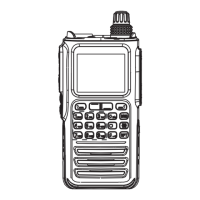
Explains the front panel, side guides, and display layout.
Covers dust/water resistance, battery installation, antenna, and belt clip.
Instructions for charging the battery using different methods.
Overview of GMRS service and the radio's capabilities.
How to power on, adjust volume, and select channels.
How to send and receive signals.
How to use the dual display feature for monitoring two channels.
Explains operation in channel and frequency modes.
Covers GMRS channels, tones, and repeater usage.
Information on receiving CB radio channels.
Details on channel, frequency, and tone scanning options.
How to access and use NOAA weather broadcasts.
Configuration and use of weather alert notifications.
Explains key lock, hotkeys, and programmable keys.
Covers reverse frequency, talk around, SOS, alarm, monitor, backlight, flashlight, favorites, FM/AM, stopwatch.
How to access and use the Area Menu.
Settings for squelch, transmit power, and bandwidth.
Configuring frequency steps, CTCSS, and DCS tones.
Options for repeater settings, channel naming, and memory channels.
Settings for busy channel lockout and speaker mute.
Covers descrambler, compander, send location, call groups, scan add/delete, tone scan, scan groups, VFO scan, work mode, channel wizard, AM mode.
How to access and navigate the System Menu.
Adjusting LCD brightness and backlight timeout.
Battery saver, weather alerts, and notification types.
Configuring scan modes and priority channel scanning.
Options for saving tones and roger beep prompts.
Settings for overtime timers, alarms, and voice prompts.
Assigning functions to PTT and PF keys.
Customizing messages and auto-lock features.
Configuring radio IDs and sidetone behavior.
Setting ring time, tone alerts, time display, and time zone.
Enabling and configuring GPS location tracking.
Instructions for resetting the radio to factory defaults.
Adding, cloning, and deleting channels.
Using the wizard for quick channel programming.
Setting non-standard CTCSS and DCS tones/codes.
Adjusting transmit power and naming channels.
Selecting and saving channel numbers.
Comprehensive guide to GPS and location features.
Detailed guide for non-standard tones and codes.
Using DTMF for signaling and radio identification.
Configuring and using remote control features.
Solutions for no sound and unresponsive keypads.
Addressing unwanted interference and unintended transmissions.
Troubleshooting power and GPS location transmission problems.
Detailed technical specifications of the radio.
List of standard CTCSS and DCS tones.
Default GMRS channel assignments.
Default CB channel assignments.
List of NOAA weather broadcast frequencies.
Information on purchasing accessories.
Details of the product's limited warranty.
| Mode | FM |
|---|---|
| Output Power | 5W |
| Channels | 999 |
| Waterproof Rating | IP67 |
| Bluetooth | Yes |
| GPS | No |
| Display | Color LCD |