22
FLINCH RESPONSE
OBSTACLE AVOIDANCE
While Robosapien™V2 is moving he uses his Infrared Vision System
to avoid obstacles.
Caution: Robosapien™V2 will not detect the edge of tables. Keep an
eye on him while he is walking on tables or near stairs or steps.
• Robosapien™V2’s Infrared vision does not function while he is
walking backwards or turning.
• Robosapien™V2 can sometimes be a bit too cautious and refuse
to walk through gaps that he can physically fi t through.
• If this happens you can turn off his Vision Systems with the Vision
Systems On/Off on the controller.
• He will still use his gauntlets and foot sensors to react to
obstacles when his vision is off. (See foot and gauntlet sensors
on page 29.)
• His infrared vision sensors are based on reflection, This means
that he can see highly reflective surfaces like white walls or
mirrors more easily and at greater distances.
Vision Systems
• He will turn his color camera on
when he does this. If the
object remains close and
stationary for a few seconds
he will try to identify the color.
(See Color Camera, page 23-25).
• If you do not hold the object
stationary in front of his face,
he will start to track the
movement with his IR vision.
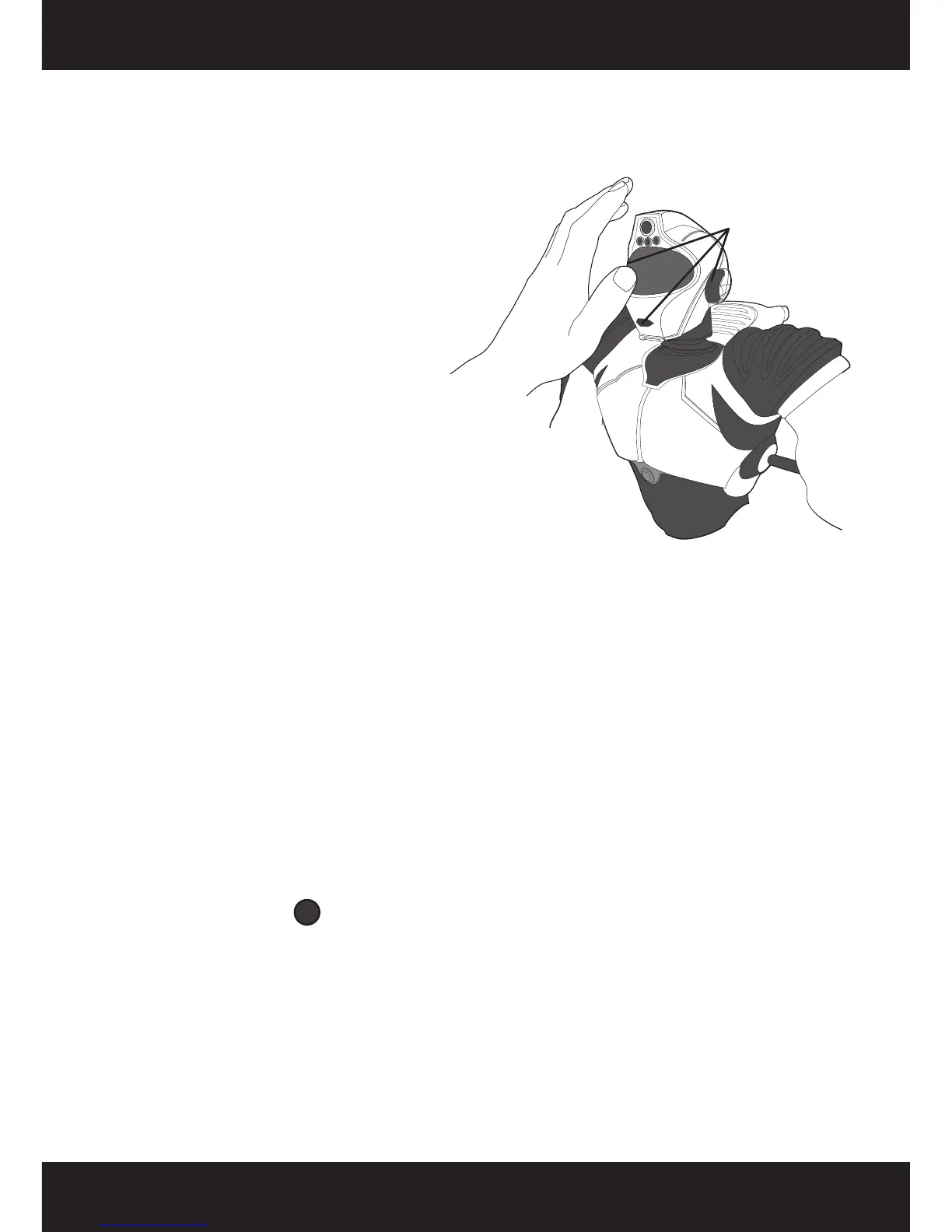
Note: To make Robosapien™V2
perform a flinch you must hold
the object close enough to his
face to cover all his sensors as
shown in the diagram.
If you suddenly put something very close to Robosapien™V2’s eyes
while covering all sensors (when he is not already tracking
something), he will respond with a flinch reflex.
Cover these
sensors to make
him inch.














 To Next Page