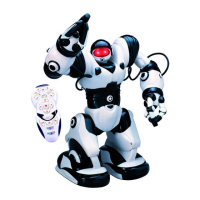
To sample some of Robosapien™V2’s cool functions
immediately, insert his batteries (see p.5-6) turn him on
(see p.13) and follow these instructions:
STOP: Press to stop Robosapien™V2 performing his
current action.
DEMO 1: Press to perform his dance routine.
DEMO 2: + Press to perform a sequence demonstrating
Robosapien™V2’s range of movements.
LIE DOWN / SIT UP / LIE DOWN / STAND UP: + With each
press, Robosapien™V2 will cycle through one step in this routine.
LEFT STICK = walking: Walking is controlled by the left stick;
Forward, backward, left, right, and diagonal motions.
RIGHT STICK = HEAD AND UPPER BODY: Basic upper body
movement is controlled by the right stick.
ARMS: + + Use the right stick with shift buttons
1 (left) and/or 2 (right) to control Robosapien™V2’s arms.
FREE ROAM: Put Robosapien™V2 into Free Roam so he can
explore his environment autonomously. However make sure he’s on
the floor before he starts!
INFRARED VISION: Interact with Robosapien™V2 directly. Put your
hand in front of his face and he will track your movements.
Quick Start Guide
L














 To Next Page