Wren V5AP User Manual
7
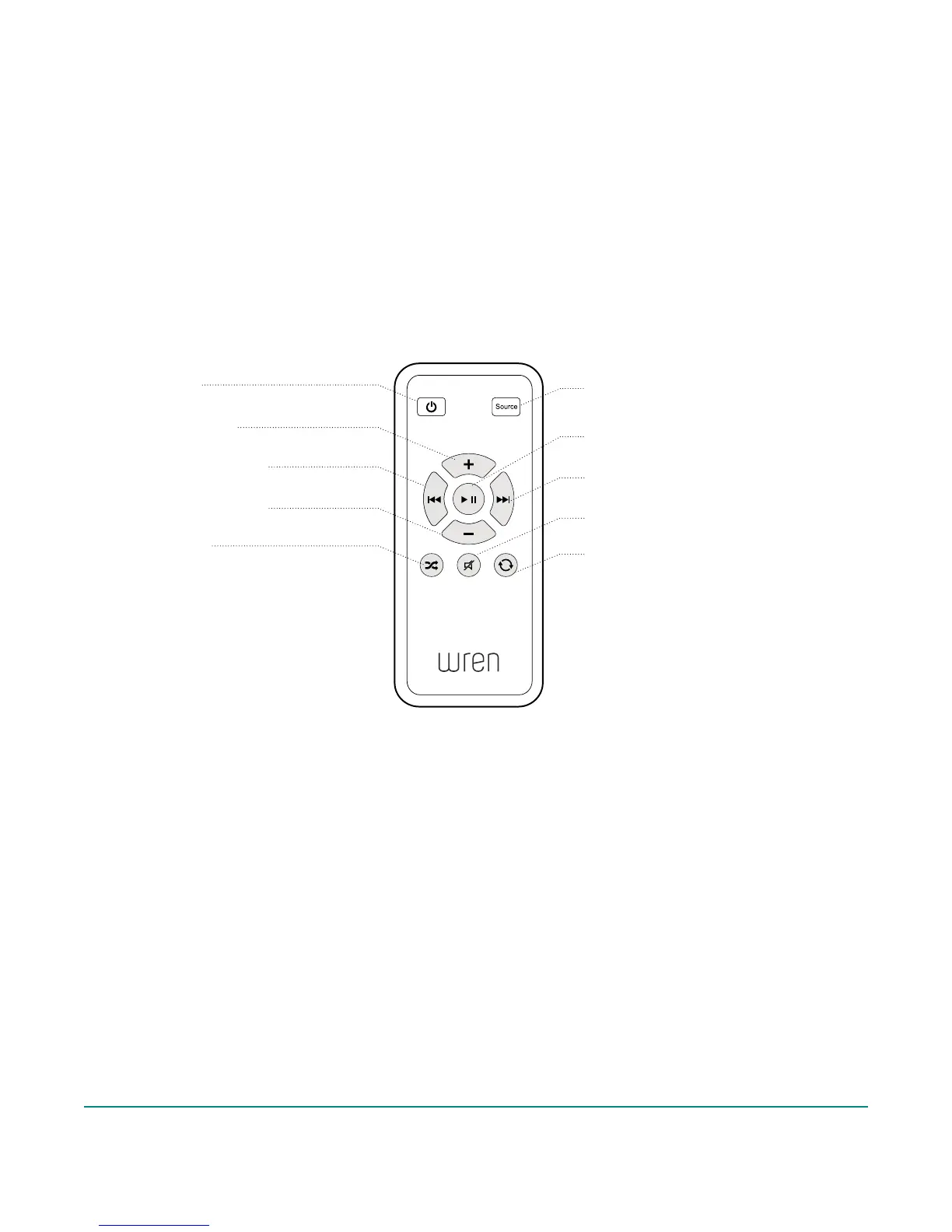
Wren V5AP Controls: Remote Control
Power
Powers the speaker on and off
Source Selector
Selects the desired audio
input source
Next Track
Goes to the next audio track
Volume Up
Increases volume
Play/Pause
Plays and pauses audio
Previous Track
Goes to the previous audio track
Mute/Unmute
Mutes and unmutes the audio
Shuffle*
Activates the iTunes
Shuffle feature
Volume Down
Decreases volume
Repeat*
Replays the current audio track
* PLEASE NOTE: The “Shuffle” and “Repeat” functions on the Remote Control work only when using a Mac or PC connected via AirPlay,
or when using an iDevice connected to the USB input. Otherwise, these functions are accessible from the iDevice that is being used as the
audio source via AirPlay or Aux In.



 To Next Page