Page.108.
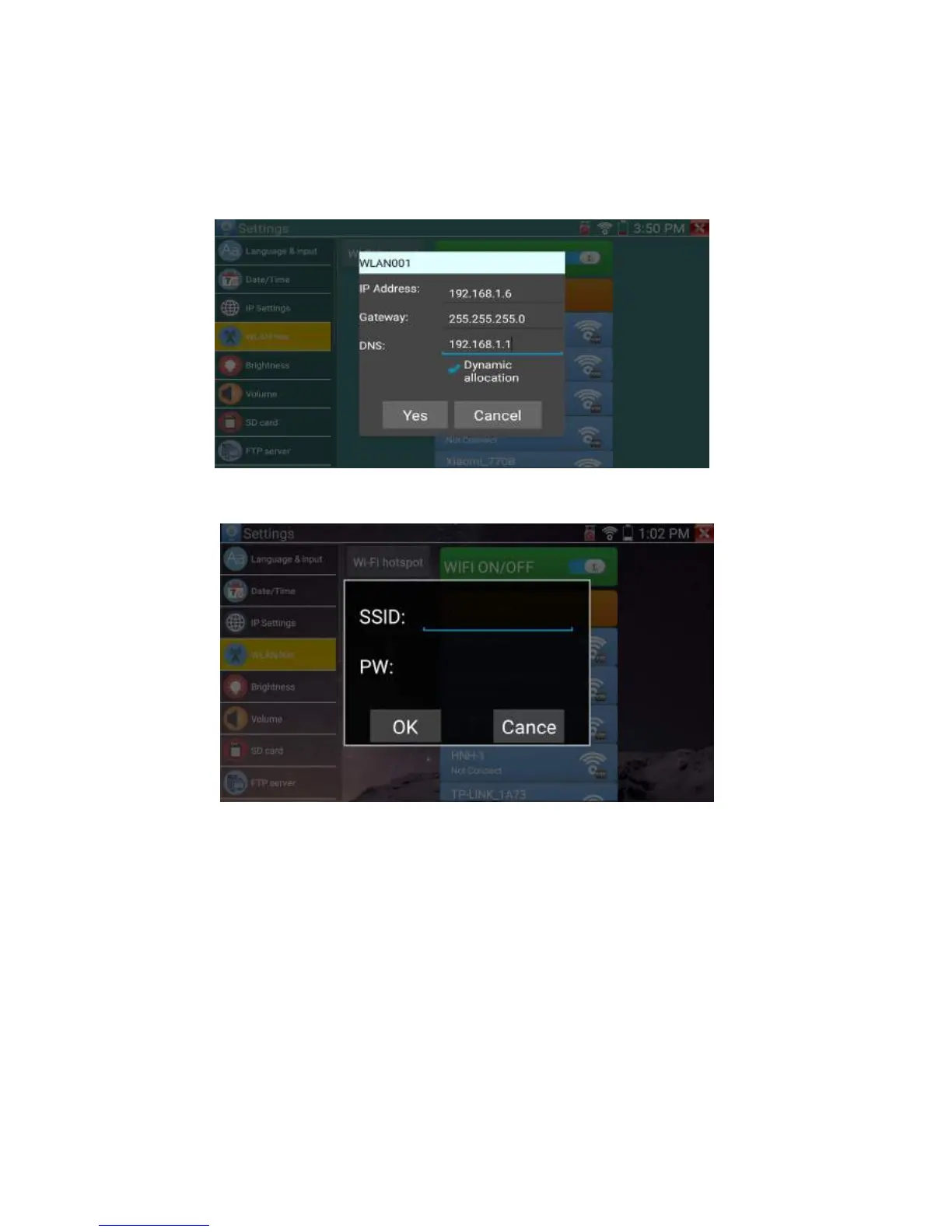
Select and press “WIFI” several seconds, to set static IP address
Wi-Fi hotspot: input “SSID” name and “password”, and then click “ok”to create Wi-Fi hotspot.
Brightness: Set the desired brightness of the IP tester and adjust the sleep time settings.
Volume: Set volume level
SD Card: Displays SD Card Capacity. You can also format the SD card or unmount it before removing
it.
FTP server: Once the IP tester connects to a network, a computer can be used to read the SD card files
via FTP


 To Next Page