Page.70.
(
5
)
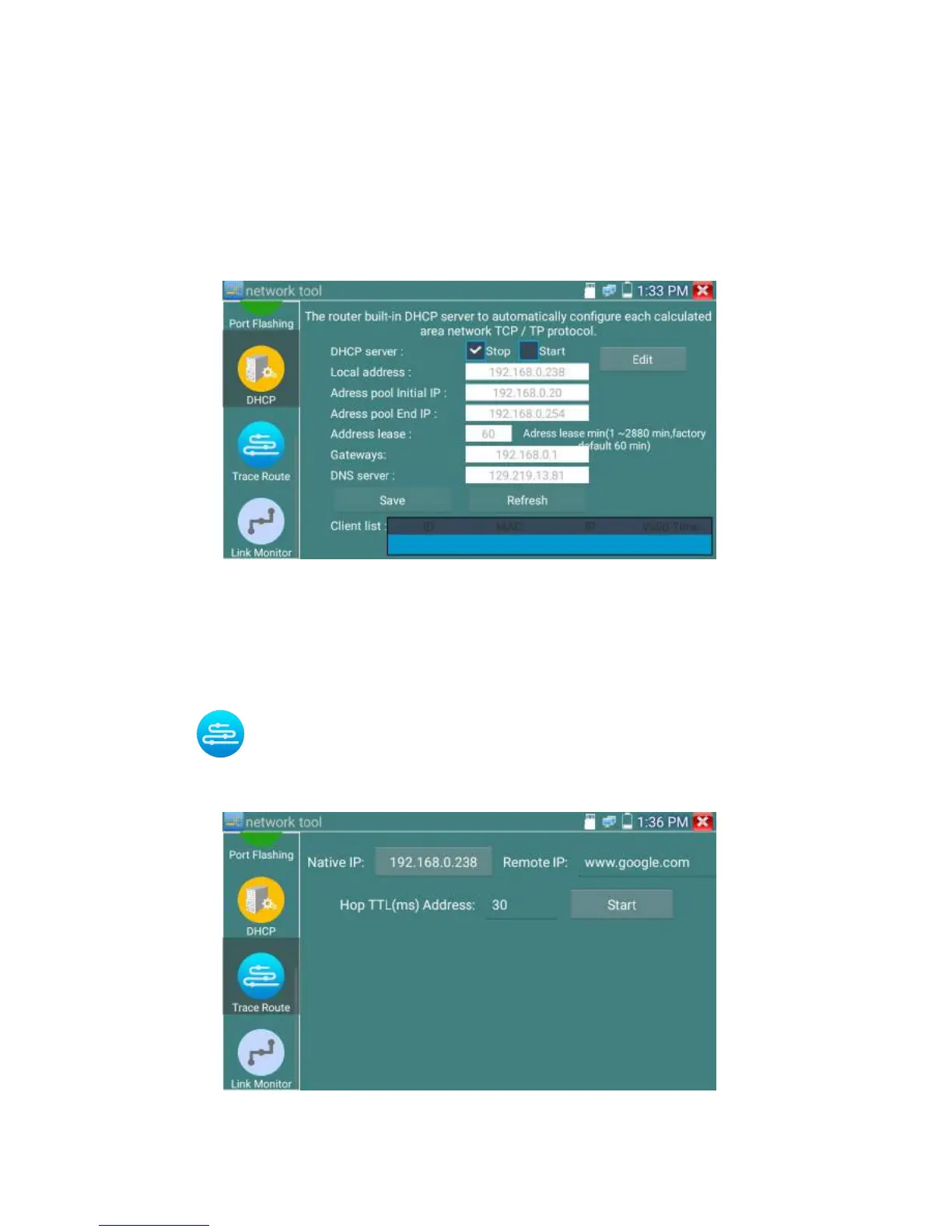
DHCP server
Click on the DHCP icon to open the DHCP server app. Select the “Start” check box at the top and make
any desired changes to the network settings. Click “Save” to start assigning dynamic IP addresses for
IP cameras and other networked devices. Click the “Refresh” button to check your Client list.
(
6
)
Trace route
It is used to determine path of the IP packet access target.
Note: Trace route testing results only for reference, for accurate test route tracking, Pls use professional
Ethernet tester.
Click to enter trace route
Input tracking IP address or domain name in the Remote Host IP. Set maximum hop count, normally
default is 30


 To Next Page