Page.69.
(
4
)
Port Flashing
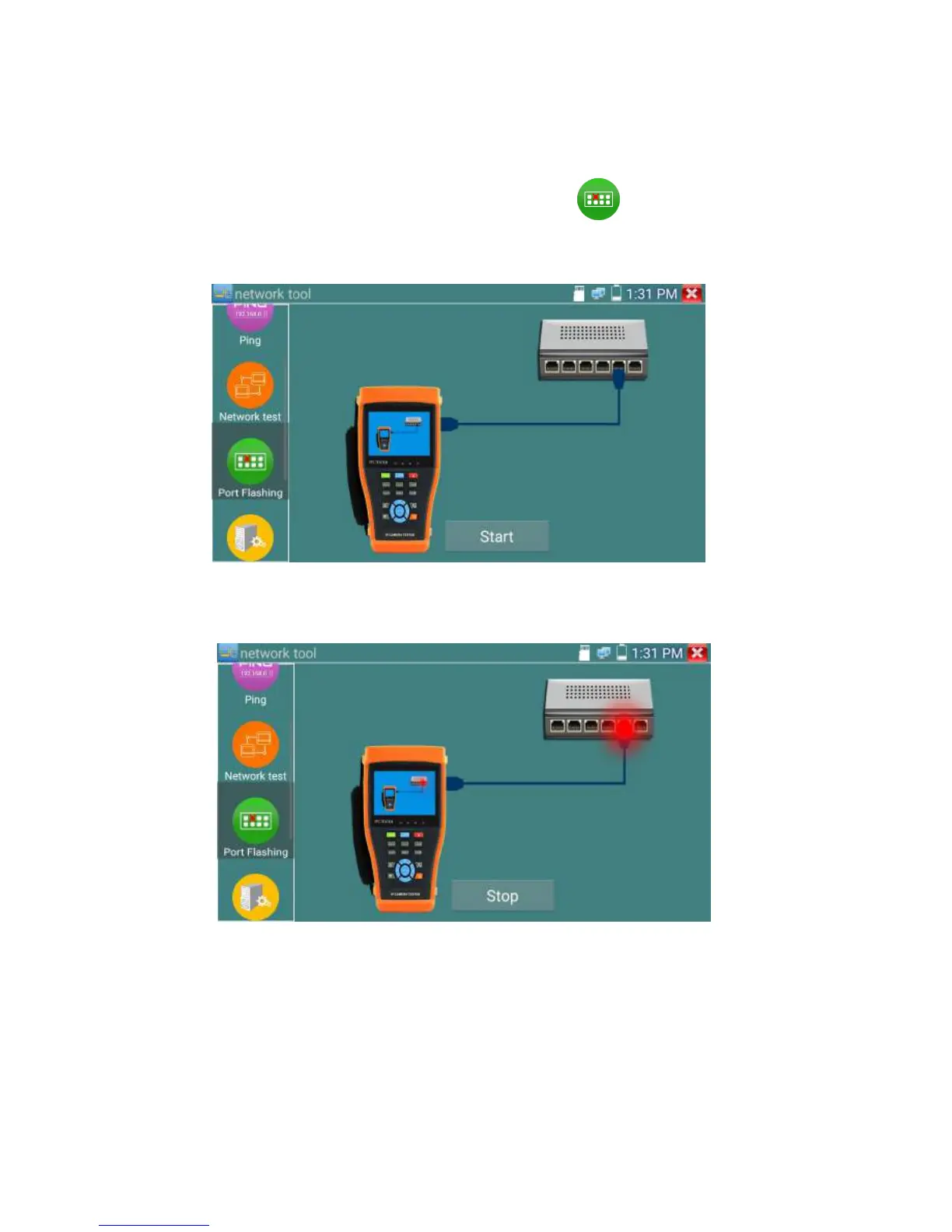
Connect a network cable to the meter’s “LAN” port, click the icon to open the Port Flashing
app. Click “Start”. The IP tester sends a unique signal to make the connected LAN port of the switch
flash.
If the tester and PoE switch are connected well, the LAN port of POE switch flash at special frequency,
If not, no any changes on the LAN port
Application:
The tester will send special signals to make the connected LAN port flicker at special frequency, which
will enable the installers to easily and quickly find the connected Ethernet cable. This function can
prevent mistakenly insertion or disconnection non-corresponding cable to artificially interrupt network
connection.


 To Next Page