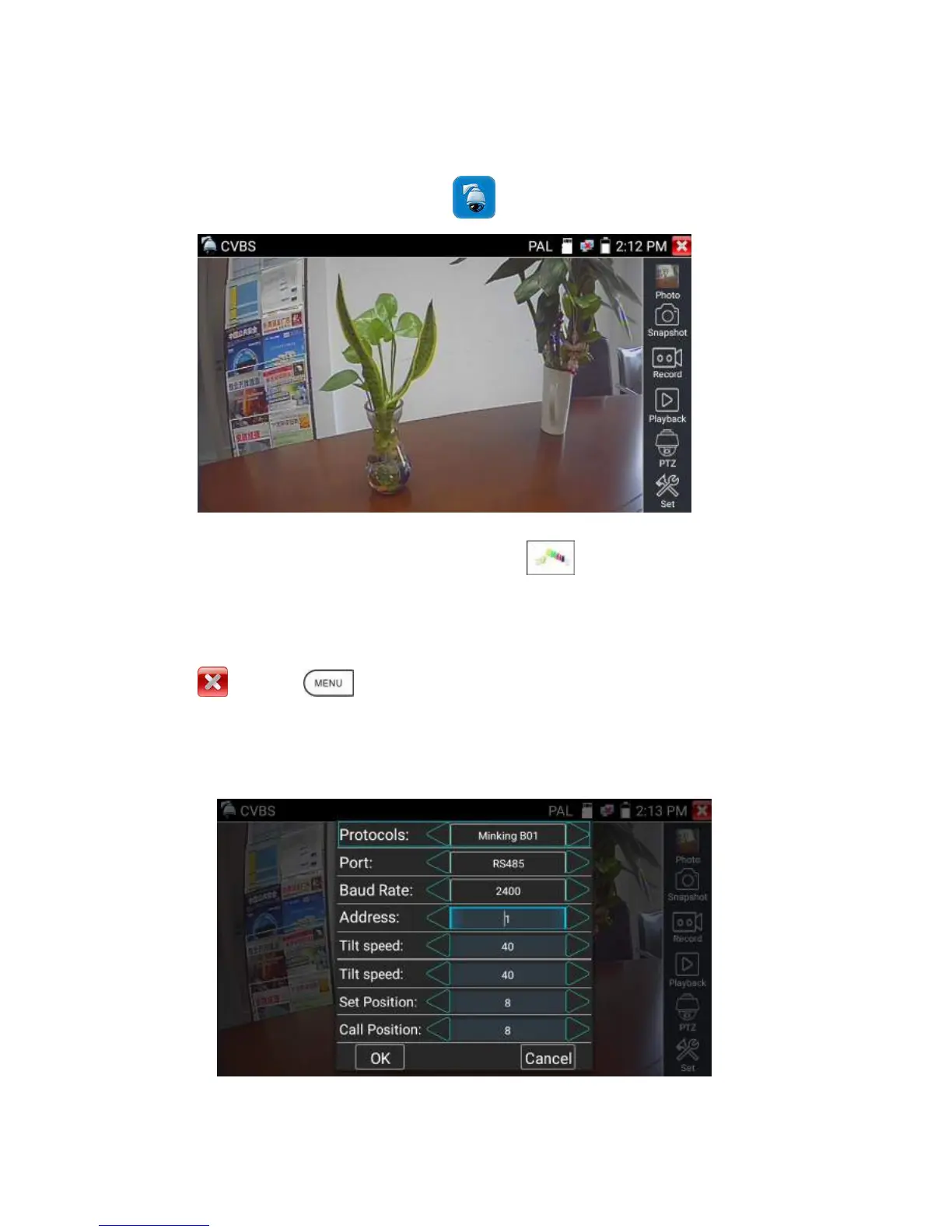
Analog camera test and PTZ control, click icon to enter
Display the input video image, click the top menu bar icon to enter video level meter,
(PEAK level, SYNC level, COLOR BURST measurement)
Select relative function on the right side Toolbar to operate , functions including “Photos”, “Snapshot” ,
“Record” , “Playback” , “PTZ” , “Set” ,
Click , or press to quit.
Click the screen twice quickly, can be full zoom in on the touch screen.
(1) PTZ controller parameter setting
Select and click icon “PTZ”, to enter PTZ setting:


 To Next Page