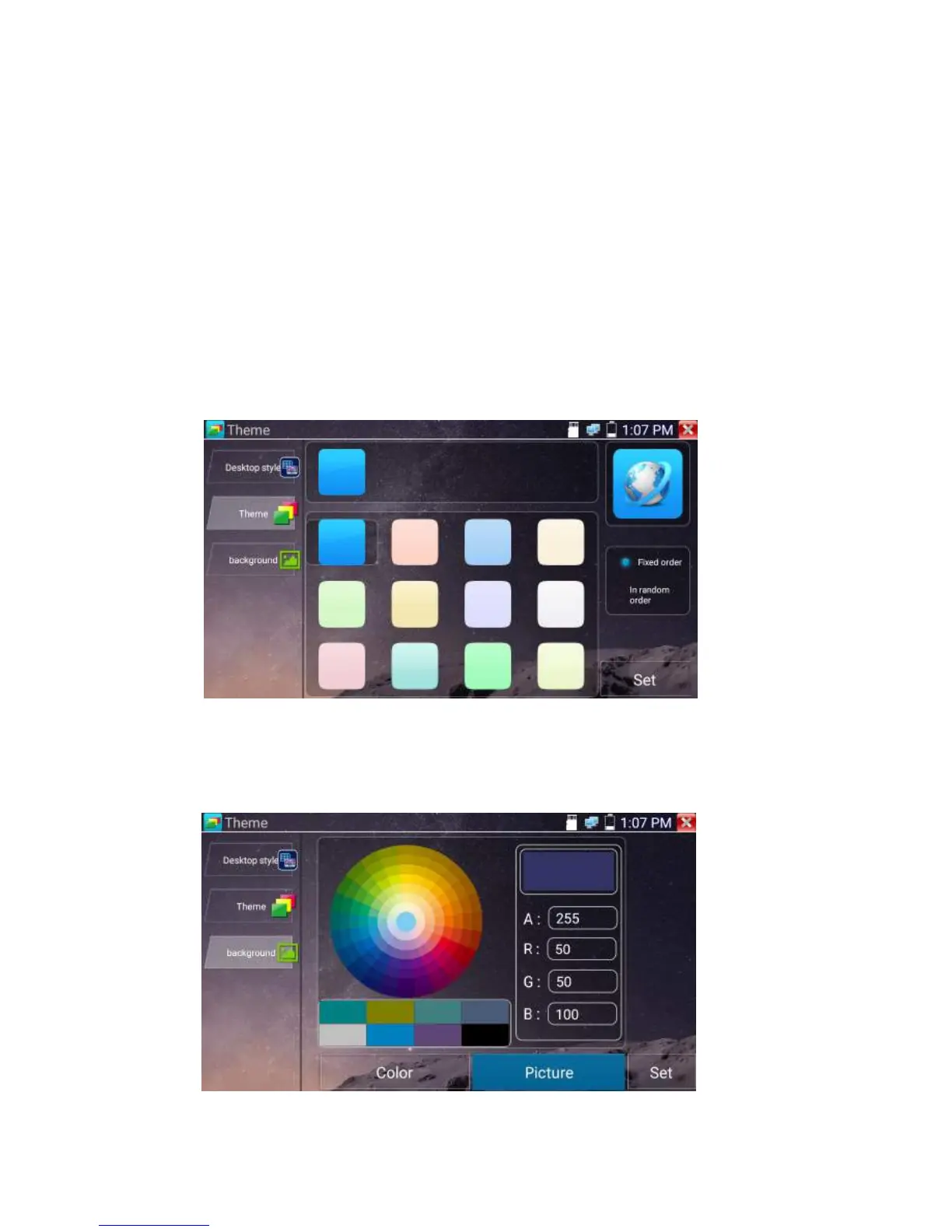
Click Theme icon to enter themes setting.
Desktop style : you can select Lite mode or normal mode.
Theme:
Pressing square area’s any color icon several seconds, the selected color icon will be auto move the
rectangle area, if you press selected color several seconds, and it will be auto deleted
Theme colors include fixed order and random order, and click “set” to save
Color
When set background color, you can select colors from Color Phase, and also can input color’s RGB to
set.


 To Next Page