Page.34.
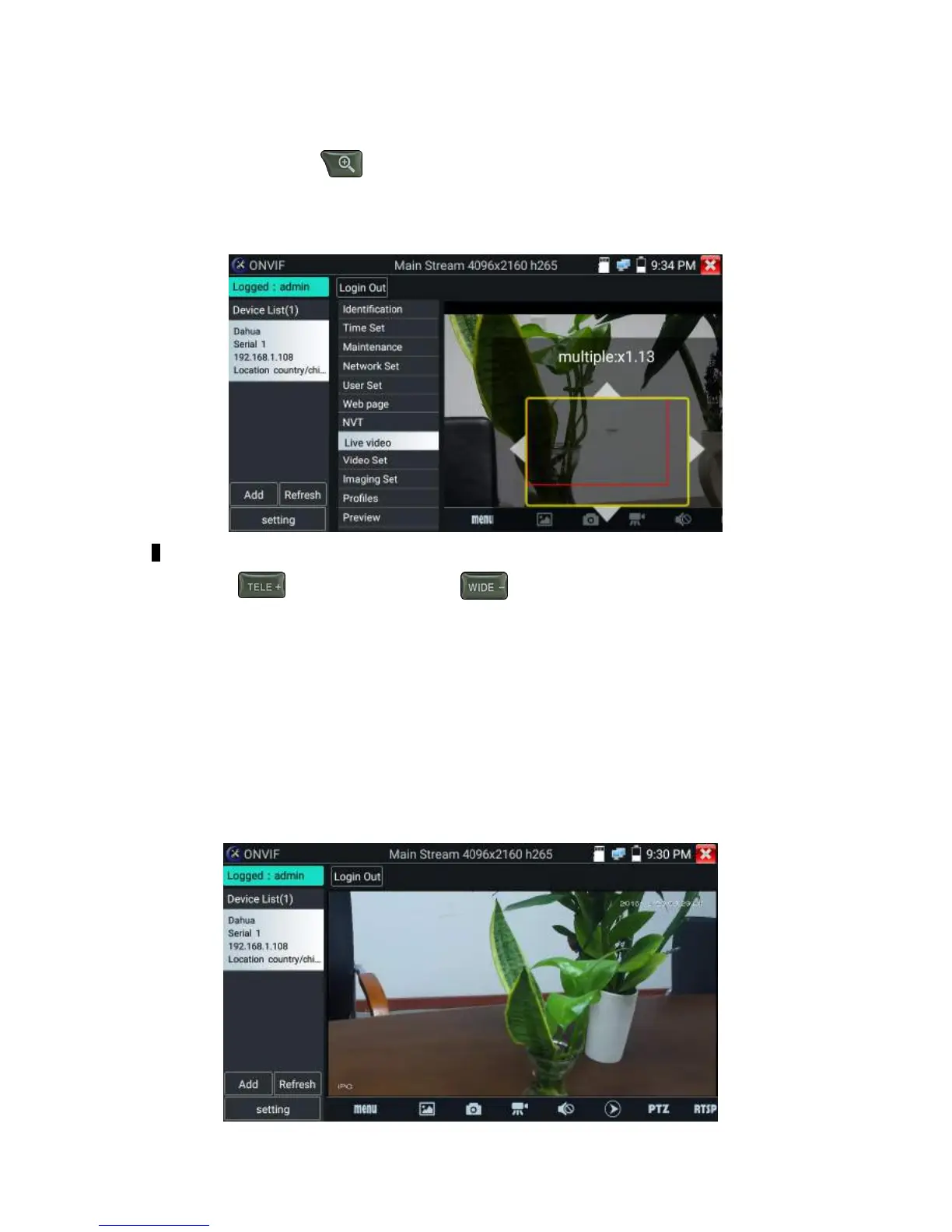
Zoom in image :press the key to enter the zoom mode. Press it again to exit zoom
mode.When the image is enlarged tap left, right, up or down on the image to move the whole image on
the screen
When the image is enlarged, if not operate on touch screen, it can operate by the keyboard ,press the
key to zoon in , press the key to zoom out ,press upward and downward
key to move image.
If it is network video input to the tester, as the tester supports resolution up to 1080p, the input image
will be very clear after it is enlarged. This is greatly helpful for the installers to ensure the IP camera’s
video coverage and decide the IP camera’s install site.
Image can only be enlarged on SD mode (The icon “ONVIF”is SD mode.)
Select relative function on the bottom Toolbar to operate, “Snapshot“ , “Record”, “Photos ”,
“Video playback”, “Storage set”, “PTZ control” etc.


 To Next Page