M038170_V1.5_View-R/11-2021
Chapter 7: View-R Software Update Procedure 38 of 39
CLI UPDATE
In the absence of an internet connection or EtherNet cable, the
View-R software can be updated via the Command Line
Interface (CLI).
REQUIREMENTS:
1. Updated software file on USB drive*
2. Keyboard
3. Monitor
* Software update can be downloaded via the WTC Client Portal
or email. Contact your WTC Sales representative for details.
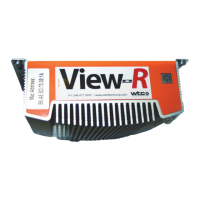
Figure 7.1 View-R back view
B Connect the keyboard and monitor to the View-R.
C Plug the USB stick with software update to any one of the
ports on the back side of the View-R.
D The monitor will scroll through a display of information on
the USB stick.
THE UPDATE FILE SHOULD SAVED IN THE ROOT DIRECTORY OF THE
USB DRIVE AND NOT WITHIN A FOLDER. THE FILE SHOULD BE
NAMED -update.vr (NO VERSION NUMBER).
EXAMPLE FILE NAMES:
E:/UPDATE.VR (GOOD)
E:/RANDOM_FOLDER/UPDATE.VR (BAD)
E:/UPDATE-1.2.3.VR (BAD)
VIEW-R POWER
CONNECTION
CONNECT
MONITOR
INSERT
USB


 To Next Page