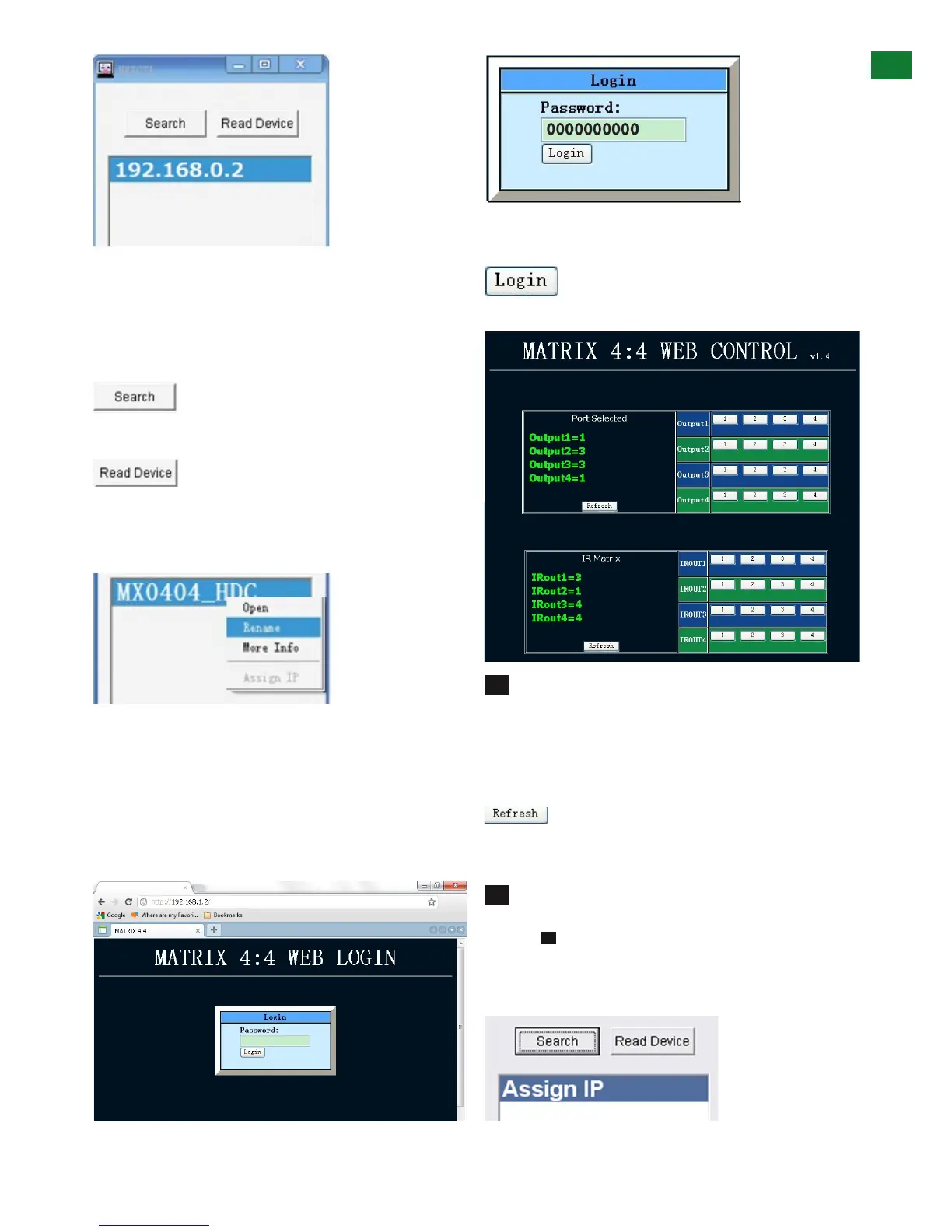
If using for the first time, the program will automatically
detect the IP address being used, with the result
displayed in the white area beneath.
Should no result appear or if the system is unable to
detect an IP address automatically, press the
button to locate.
When the IP address appears, click
to attach the IP address to the system and
the IP address will change to a default factory serial
number MX-0404-PP or MX0404-HE1.
Device Name
Should you wish to change the name of your matrix from
the factory default, just right click on the serial number
and select ‘rename’ from the dropdown menu. Input the
new name and press OK.
Double click on the device name/default factory serial
number (or right click and OPEN) and you will be directed
to a web login page in your internet browser.
Enter the default password of ten zeros ‘0000000000’
and click
to take you to the matrix controller screen.
The layout of the NET CTL controller screen includes
an upper section to allocate input sources to output with
the selection displayed on the left hand side.
Operation is the same as COM CTL – Inputs buttons 1-4
can be clicked to be selected per Output port.
Press the
button to update your chosen matrix settings into the left
hand display and your selection to take effect.
The lower section of the NET CTL controller screen
is dedicated to IR matrix settings as per the COM CTL
function in the previous section. Making sure IR HEX
codes have been correctly input into the Matrix, select the
IR TX ports allocated to specific inouts/outputs to control
devices remotely over the network.
A
B
5
ADVANCED OPERATION













 To Next Page