EasyManua.ls Logo

X-Rite EyeOne Pro User Manual

X-Rite EyeOne Pro
2 pages
To Next Page IconTo Next Page
Page #1 background imageLoading...
Page #1 background image
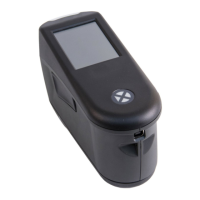
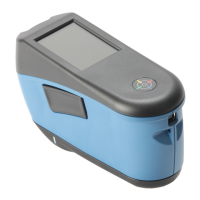
Your EyeOne Pro
Thank you for purchasing an X-rite EyeOne Pro spectrophotometer from SpectraCal.
This page explains the parts you will find in your EyeOne Pro kit.
Meter and Base Plate
Each EyeOne Pro is uniquely paired with
its own base plate. They should remain
together. At the tip of the base plate is a
white dot, of reference material
conforming to a standard. Your EyeOne
was calibrated at the factory to this white
dot, and should you ever need to run
EyeOne Pro diagnostics, they will expect
this same dot.
Ambient Filter
The small black box contains the ambient filter. Note that
there are actually two pieces inside the black box: the filter
and a cap. The filter is inside the cap. To put it on your
EyeOne Pro, snap the cap on the meter head, rotate slightly,
and pull directly off. The filter will remain on the meter. Use
the filter when reading directly from a projector. You can use
the cap to perform a dark calibration
USB Cable
The EyeOne Pro draws a substantial amount of power, which some USB hubs and USB
extension cables will not supply. Before trying to use a hub or an extension cord, first
plug your EyeOne Pro directly into your computer.
Suspension Strap and Tripod Holder
The suspension strap is for hanging an EyeOne Pro on a display. For most applications,
we recommend the tripod holder instead. (The tripod holder is an optional accessory,
sold separately). Slide the two prongs on the tripod holder into the two holes on the
bottom of the EyeOne Pro, and wrap the Velcro strap around the EyeOne to secure it.
Empty Spaces in Carrying Case
You will note that the carrying case has empty spaces. In addition to its leading role as
the preferred instrument for video display calibration, the EyeOne Pro is sold into many
other industries as well. Some of these other applications require other accessories, and
rather than design a different carrying case for each industry, X-rite provides one case to
serve all.
Question and Answer IconNeed help?

Do you have a question about the X-Rite EyeOne Pro and is the answer not in the manual?

X-Rite EyeOne Pro Specifications

General IconGeneral
TypeSpectrophotometer
Measurement Geometry45°/0°
Spectral Range380 to 730 nm
ConnectivityUSB
Aperture Size4.5 mm
Light SourceGas-filled tungsten (Type A)
Spectral Resolution10 nm
Supported Operating SystemsWindows, Mac OS
Software Compatibilityi1Profiler
Measurement Area4.5 mm
CalibrationAutomatic white calibration

Summary

EyeOne Pro Kit Components

Meter and Base Plate

Details the unique base plate and its reference white dot for calibration.

Ambient Filter Usage

Describes the filter for ambient light readings and cap for dark calibration.

USB Cable Power Considerations

Advises on power needs and direct computer connection for the USB cable.

Mounting Options: Strap and Tripod Holder

Explains suspension strap for hanging and tripod holder for mounting.

Carrying Case Design Explanation

Explains empty spaces in the case accommodate accessories for various industries.

Using the EyeOne Pro with CalMAN

Download and Install CalMAN Device Driver Kit

Guides on downloading and installing the CalMAN Device Driver Kit from spectracal.com.

Connect and Install EyeOne Pro USB Driver

Instructions for plugging in the device and installing its driver via Windows wizard.

Select EyeOne Pro in CalMAN Software

Details how to select the EyeOne Pro from the meter drop-down list in CalMAN.

Initializing the EyeOne Pro

Explains the dark calibration process required on startup or after continued use.

Related product manuals