EasyManua.ls Logo

x-sense XS01-WR - User Manual

x-sense XS01-WR
13 pages
Print Icon
To Next Page IconTo Next Page
Loading...
X-Sense
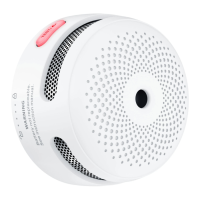
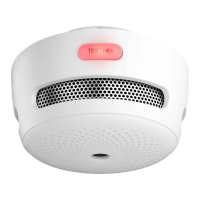
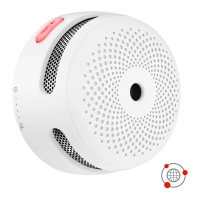
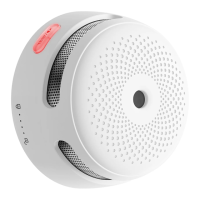
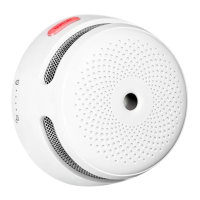
Wireless Interlinked Smoke Alarm
XS01-WR
User Manual
This user manual contains important information regarding the operation of your X-SENSE smoke
alarm. Ensure you read this user manual fully before installing and operating the alarm. If you are
installing this smoke alarm for use by others, you must leave this manual (or a copy of it) with the end
user.
Package Contents
1 × Alarm Unit
1 × Mounting Bracket
2 × Screws
2 × Anchor Plugs
1 × User Manual
Safety Information
IMPORTANT!
1. DANGERS, WARNINGS, AND CAUTIONS ALERT YOU TO IMPORTANT OPERATING
INSTRUCTIONS OR TO POTENTIALLY HAZARDOUS SITUATIONS. PAY SPECIAL
ATTENTION TO THESE SITUATIONS.
2. THIS ALARM IS NOT INTENDED TO ALERT HEARING IMPAIRED INDIVIDUALS. THE
USE OF ALCOHOL OR DRUGS MAY ALSO IMPAIR ONE’S ABILITY TO HEAR THE
SMOKE ALARM.
3. FIRES IN CHIMNEYS, WALLS, ROOFS, DIFFERENT LEVELS OR BEHIND CLOSED
DOORS MIGHT NOT BE DETECTED.
4. THIS DEVICE DOES NOT DETECT FLAMES, HEAT, CARBON MONOXIDE OR OTHER
HAZARDOUS GASES.
WARNING!

Questions and Answers

  • B
    Brandon SharpJul 28, 2025
    Why does my x-sense XS01-WR Smoke Alarm beep every 60 seconds?
    • S
      Susan GonzalezJul 28, 2025
      If your x-sense Smoke Alarm's red LED flashes and it sounds one beep every 60 seconds, it means the battery is low. Replace the alarm immediately.
  • K
    Kimberly SilvaAug 5, 2025
    Why does my x-sense XS01-WR Smoke Alarm beep twice every 40 seconds?
    • J
      Jeremy LewisAug 5, 2025
      If the red LED on your x-sense Smoke Alarm flashes and it sounds two beeps every 40 seconds, it indicates a malfunction. You should clean your smoke alarm, or replace it immediately.
  • M
    mary74Aug 12, 2025
    How to test x-sense XS01-WR if it doesn't sound?
    • A
      Austin FitzgeraldAug 12, 2025
      If your x-sense Smoke Alarm doesn't sound during a test, ensure it's properly attached to the mounting bracket and that you firmly push the central test button. Also, verify the installation position, as the wireless signal might be blocked or out of range.
  • B
    Brian RoseAug 19, 2025
    Why is my x-sense Smoke Alarm beeping every 60 seconds?
    • E
      Eric HoffmanAug 19, 2025
      If your X-Sense Smoke Alarm's red LED flashes and it beeps once every 60 seconds, this indicates a low battery. Replace the battery immediately to resolve this issue.

Summary

Safety Information

Set up and Interconnect Smoke Alarms

How to Interconnect

Step-by-step guide for wirelessly connecting multiple smoke alarms for interlinked operation.

Alarm Test

Test all interconnected smoke alarms

Procedure to test all interconnected alarms in the network simultaneously.

Installation Positioning

Installation Method

Battery Replacement

LED Indicator and Audible alarm

Alarm

Status indication when the smoke alarm detects smoke and triggers an alert.

Maintenance

Troubleshooting

x-sense XS01-WR Specifications

General IconGeneral
TypePhotoelectric Smoke Alarm
Battery Life10 years
Wireless Frequency868 MHz
InterconnectivityWireless Interconnect
Alarm Volume85 dB
CertificationsEN 14604
Wireless RangeUp to 250 meters (open area)

Related product manuals