EasyManua.ls Logo

Xantrex FREEDOM SW 3000 - User Manual

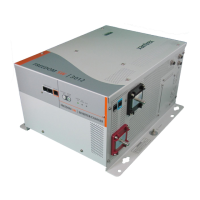
Xantrex FREEDOM SW 3000
86 pages
Print Icon
To Next Page IconTo Next Page
Loading...
TM
TM
Freedom SW 3000
Sine Wave Inverter/Charger
Owner’s Guide
FREEDOM SW
3000
I
n
v
e
r
ter
R
e
set Enable
I
nv
e
r
t
er
AC/
On
C
ha
r
ge
Fault
X
anbus
In
t
er
fac
e
FREEDOM SW
3000
I
n
v
er
ter
R
eset Enable
I
n
v
e
r
t
er
A
C/
On
C
ha
r
ge
Fault
X
anbus I
n
t
e
r
fa
c
e
Date
of Manufacture
Serial Number
CAUTION:
To reduce the risk of fire, do not
cover or obstruc
t ventilation openings. Do not mount
in a zero-clearance compartment. Overhea
ting may
result. Do not e
xpose to rain or spray.
INSTALLATION REQUIREMENTS:
Mount this inv
erter/charger only in the orientations
specified in the inst
allation g
uide provided.
WARNING:
Shock hazard. Do not open. No
user serviceable parts. Energized from both AC and
DC sources. Disconnect all
sources before servicing.
Use only ground-fault circuit interrupters (GFCI)
specified in the installation guide supplied. Other
types may fail to operate properly when connected to
this equipment. Refer to ma
nual. Charge only
lead-acid batteries. Other ba
ttery types may burst
causing personal injury and damage.
Nominal DC Operating Voltage:
12 Vdc
Nominal AC Output Voltage:
120 Vac , 1Ø
Nominal AC Output Frequency:
60 Hz
Max. Continuous AC Output Current:
25 A
Max. Operating DC Input Current:
320 A
Max. Continuous AC Output at Nominal DC
Input: 3000 VA at 25°C
Max. Output Surge Power (5 s duration): 6000 VA
Max. DC Input Voltage:
16 Vdc
Max. Ambient Temperature:
50°C
Inverter Mode:
Nominal AC Input Voltage:
120 Vac , 60 Hz, 1Ø
Power Factor:
> 0.95
Charging DC Output Voltage Range: 5.0 - 16.0 Vdc
Max. Continuous Battery Charger DC Current at
Nominal AC Input: 150 A
Max. AC Input Current:
30 A per line Split Phase,
30 A per line Dual
Charger Mode:
3000W SINEWA
VE INVE
R
TER/CHARGER
FSW3000
8
15-3000
Model
Number
FGA
Number
FREEDOM SW 3000
Designed in Canada
Assembled in China
DANGER:
To reduce the risk of explosion, do not
install in an area in
which igni
tion-protected
euipment is requi
red.
UL 45
8
CS
A 107.1
-01
3033614
FREEDOM SW
3000
FREEDOM SW
3000

Table of Contents

Other manuals for Xantrex FREEDOM SW 3000

Question and Answer IconNeed help?

Do you have a question about the Xantrex FREEDOM SW 3000 and is the answer not in the manual?

Xantrex FREEDOM SW 3000 Specifications

General IconGeneral
ModelFREEDOM SW 3000
Surge Power6000W
Output Voltage120 VAC
Output Frequency60 Hz
EfficiencyUp to 90%
Battery ChargerYes
WaveformPure Sine Wave
Power Output3000W
Input Voltage12 VDC
Transfer Time10 ms
Protection FeaturesOverload, Over-temperature, Short Circuit

Summary

About Xantrex and Documentation

About Xantrex

Provides background information on Xantrex Technology Inc.

About This Guide

Purpose and Scope

Explains the guide's objective, scope, audience, and conventions used.

Important Safety Instructions

Electrical Shock Hazard

Warns about electrical shock hazards and provides precautions.

Fire and Explosion Hazards

Fire and Burn Hazard

Details hazards related to fire and burns, with specific warnings.

Battery Handling Precautions

Precautions When Working With Batteries

Safety guidelines for handling batteries, including PPE and avoiding sparks.

Operating The Freedom SW 3000

System Modes

Explains the two system modes: Operating and Safe, and how to change them.

Introduction and Materials List

Materials List

Lists all items included with the Freedom SW 3000 unit.

About the Freedom SW 3000 Inverter;Charger

Premium Power and Ease of Use

Highlights the key features and benefits of the Freedom SW 3000.

How the Freedom SW 3000 Works

Inverting and Charging Functions

Explains the inverter and charger functions, including auto-adjustments and equalization.

Comprehensive Electronic Protection

Comprehensive Electronic Protection

Lists and describes the various protection features built into the Freedom SW 3000.

Front and AC;DC Side Panel Details

Front Panel Controls and Indicators

Explains the function of buttons like Inverter Enable, Reset, and status LEDs.

AC;DC Side Panel Connections

Describes DC terminals, AC compartment, and Xanbus ports.

Using the SCP

Using the SCP

Explains how to use the System Control Panel for operation and monitoring.

Operating in Invert Mode

Operating Limits for Inverter Operation

Discusses temperature limits, surge capacity, and load starting challenges.

Operating in Charger Mode

Charger Operation with Battery Temperature Sensor (BTS)

Explains how the BTS affects charging formula adjustments for optimal battery health.

Battery Temperature Compensation and Equalization

Operating in Equalization Mode

Guidelines and warnings for performing battery equalization.

Monitoring Unit Status

Faults and Warnings

Defines faults and warnings and how to address them.

System Menu Map

SCP Menu Structure

Provides a visual map of the SCP screen and menu organization.

Configuration Settings Management

Adjusting Configurable Settings

Guides on changing configurable settings on the SCP.

Basic Menu Configuration

Inverter, Charger, and Power Share Settings

Configuration of inverter, charger, and power share using the basic menu.

Equalization and Power Share Settings

Equalize Setting

How to enable or disable charger equalization for flooded batteries.

Battery Type and Size Configuration

Batt Type and Size Configuration

Setting battery type and size for optimal charging and safety.

Advanced Configuration Sub-Menus

Max Charge Rate and Low DC Voltage Shutdown

Settings for maximum charge rate and low voltage shutdown level.

Advanced Configuration: AC Limits

Number of Charge Stages and Equalization Voltage

Select charging stages and set equalization voltage.

Device Information and Logs

Fault and Warning Log Details

Displays the most recent fault and warning messages.

Troubleshooting Overview and Fault Types

Troubleshooting Overview

Introduces the troubleshooting chapter and how to get help.

Fault Types and Behaviors

Explains the different types of fault messages (automatic, manual, escalating).

Troubleshooting Reference and Fault Messages

Fault Messages and Solutions

Details specific fault messages (F0, F2, F3, F4, F5) and their solutions.

Warning Messages and Fault Logging

Battery Low Warning Message

Details the "Battery Low" warning, its cause, and solution.

Inverter Applications

Motor Loads

Discusses challenges with motor loads, especially startup current and testing.

Battery Charging Algorithm Stages

Three-Stage Charging

Explains the bulk, absorption, and float stages of the charging process.

Charge Algorithm Definitions

Charge Algorithm Definitions

Provides default voltage values for different battery types across charging stages.

Specifications Overview

Physical Specifications

Dimensions, weight, and general operating conditions for the unit.

Inverter Specifications

Details output waveform, power, voltage, frequency, and efficiency.

Inverter and Charger Specifications

Charger Specifications

Covers charging method, AC input, minimum battery voltage, and output voltage.

Invert Power Derating vs. Ambient Temperature

Invert Power Derating

Graph showing how output power decreases with increasing ambient temperature.

Warranty Information

Warranty Coverage and Duration

Details what the limited warranty covers and its 24-month duration.

Warranty Service and Exclusions

How to Get Service

Procedures for obtaining warranty service and contact information.

Return Material Authorization Policy

Return Material Authorization (RMA)

Process for obtaining an RMA number and shipping instructions for product returns.

Information About Your System

System Information Recording

Prompts user to record product details and system information for service.

Related product manuals