Printer Configurations and Options
SSttaannddaarrdd FFeeaattuurreess
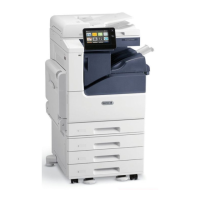
The printer provides the following features:
• Copy, Print, Email, Scan, Internet Fax, and Server Fax
• Scan to USB and Print from USB mass storage devices
• Scan to Mailbox, Scan to Network, Scan to Home, Single Touch Scan
• Searchable PDF, Single or Multiple-Page PDF, XPS, or TIFF, Encrypted or Password-Protected PDF,
and Linearized PDF or PDF/A file formats
• Copy speed of up to 55 ppm for color or black and white on A4 (210 x 297 mm) or Letter (8.5 x 11
in.) paper
• 1200 x 2400-dpi HiQ LED imaging and copying quality
• Copy document sizes up to A3 (297 x 420 mm) or Tabloid (11 x 17 in.)
• Print document size, with short-edge feed, up to SRA3 (320 x 450 mm) or 12 x 19 in.
• Automatic 2-sided printing
• Duplex Automatic Document Feeder
• Color touch screen control panel
• Trays 1–2 each with 520-sheet capacities
• Tray 5 (Bypass Tray) with 100-sheet capacity
• 3-Tray Module (Trays 2–4) each with 520-sheet capacities
• High-Capacity Tandem Tray Module (Trays 3–4) with total 2000 A4 (210 x 297 mm) or Letter (8.5
x 11 in.) sheet capacity
• 2-GB memory plus 1-GB page memory
• Internal 250-GB hard drive
• Ethernet 10/100/1000Base-TX
• High-Speed USB 2.0 direct print
• Adobe
®
PostScript
®
and PCL
®
fonts and support
• Xerox
®
Global Print Driver and Xerox
®
Pull Print Driver support
• Automated supplies replenishment and management using Xerox
®
MeterAssistant
®
, Xerox
®
SuppliesAssistant
®
, and Maintenance Assistant
• Remote driver installation
• Remote Control Panel and Configuration Cloning
• Bonjour, SSDP, and SAP device discovery
• Unified Address Book
• Xerox
®
Standard Accounting
• Encrypted Secure Print, Secure Fax, Secure Scan, Secure Email
320
Xerox
®
EC8036/EC8056 Color Multifunction Printer
User Guide
Specifications



 To Next Page