18 Xerox Phaser 5400 Laser Printer
Loading Media
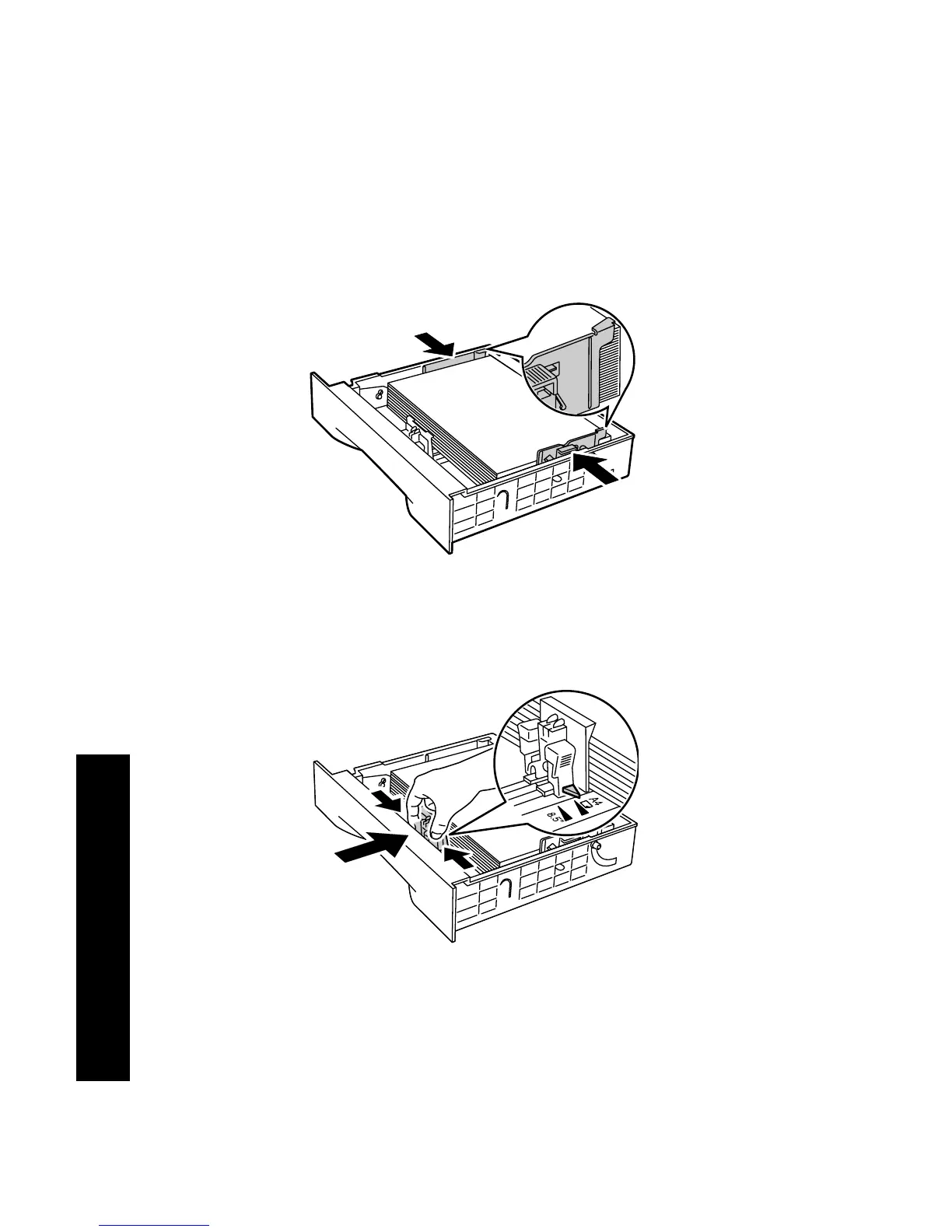
6. While pressing the side guides, adjust them to the paper width.
Note
To avoid misfeeds and jams, make sure that the stack is
under the retaining clips on both sides and adjust the side
guides to the correct size.
7. When the side guides are aligned, adjust the length guide to the
paper length.
3925-16
3925-17










 To Next Page