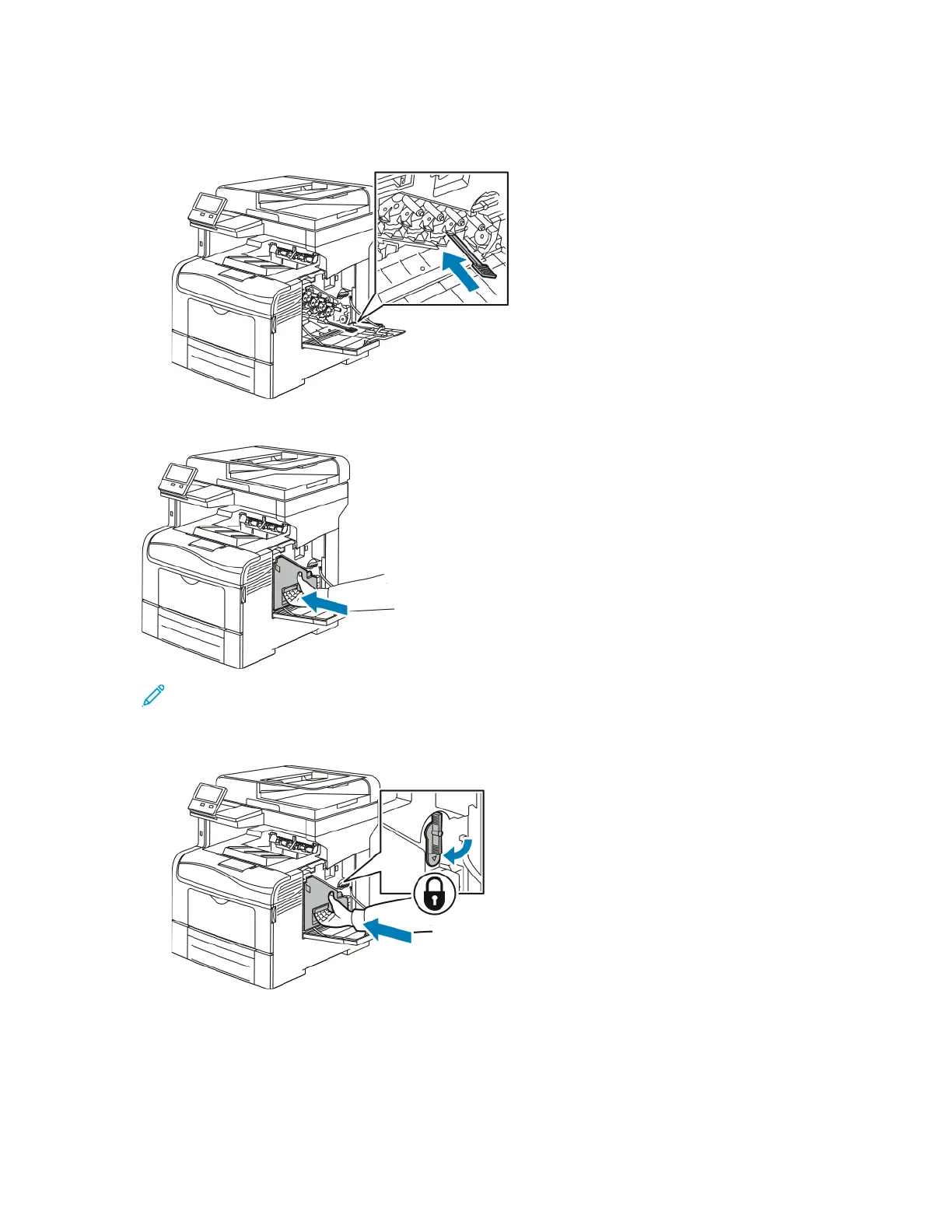
c. Repeat the procedure for the holes in the other three slots.
d. Return the cleaning rod to its original location.
4. Insert the waste cartridge.
Note: If the waste cartridge does not fit into place properly, ensure that the cleaning rod is
inserted fully.
a. To lock the waste cartridge, rotate the waste cartridge lock lever 90 degrees clockwise.
Xerox
®
VersaLink
®
C405 Color Multifunction Printer
User Guide
177
Maintenance


 To Next Page
 Loading...