7
Warnings
• Do not expose the radio to water, moisture or excessive humidity.
• Keep radio out of the freezer. Operang temperature range is 0° - 40° C (32° -
104° F).
• Clean with a dry cloth. Don’t use detergents or chemical solvents.
• Do not aempt to open the unit, unless you are really curious. You might break
something.
• Change the baery within one minute to avoid loss of me and other sengs.
Quick Start Guide
1. The radio is shipped with a protecve tab in the baery compartment that
prevents the baery from contacng the baery terminal. Carefully remove
the baery door (back of radio) and remove the baery and the tab. Replace
the baery taking care to align the polarity of the baery (+/-) to match the
diagram on the back of the radio. Replace the baery door.
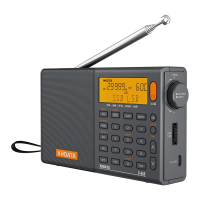
2. Turn the radio on by pressing the orange power buon on the upper right cor-
ner of the radio.
3. Select a radio band — FM, MW, SW or AIR — then raise the volume with the
knob on the le side of the radio. Increasing volume is in the upward direcon.
4. Tune the radio by rotang the tuning knob on the upper right side of the radio.
Clockwise is increasing frequency. To tune to a staon directly, press the FREQ
buon, then the frequency. If the radio does not tune to the frequency, press
FREQ again to complete the entry.


 To Next Page